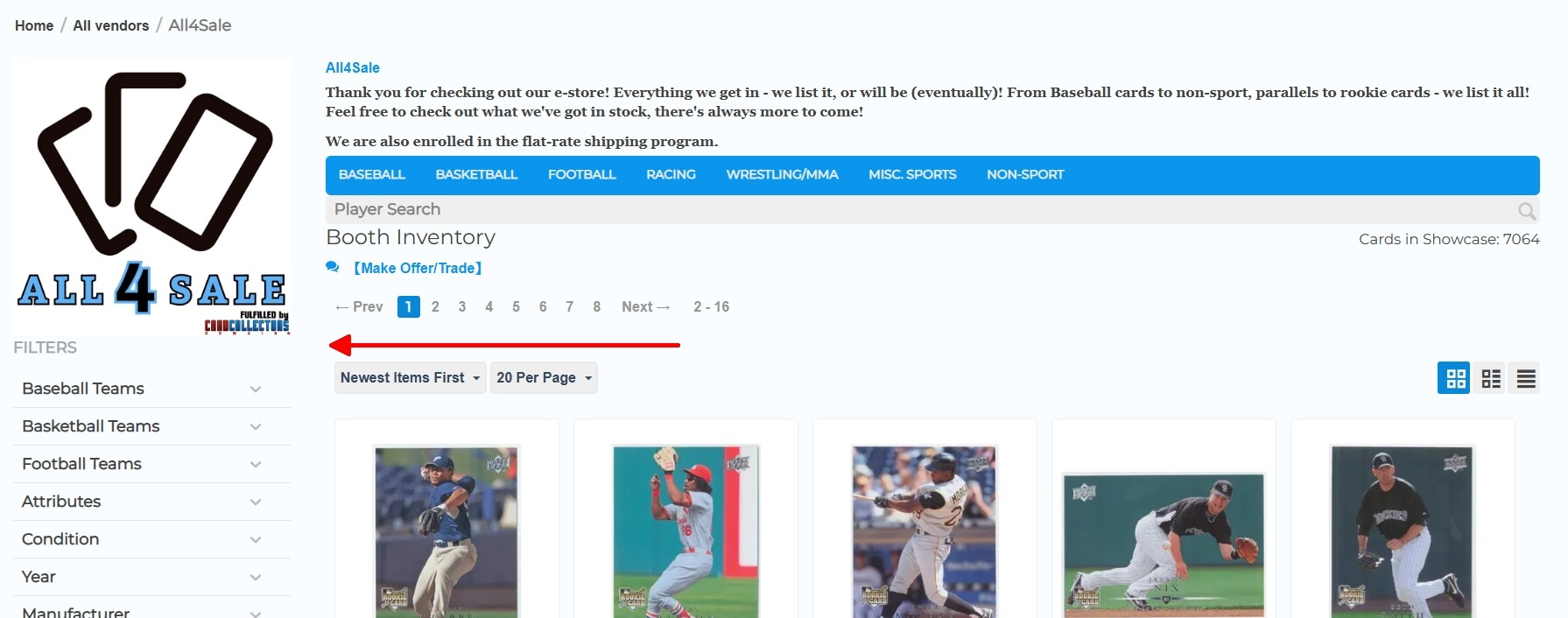
Vendors keep asking whether the following is possible:
I’m not sure if this can be done, but is there an easy way to add a block below the vendor logo that either vendors or I can use to display information—such as social media credentials or an image—on their storefronts?
Since each vendor would likely have different credentials or images, is there a way to create a block that dynamically displays the relevant information based on the company ID the customer is viewing?
I looked into this, and a user elsewhere mentioned that it might be possible to use HTML to toggle specific images based on the company ID being viewed.
Does anyone know if this is possible?
Yes, you can use the HTML block with Smarty support block where you can display different data depending on value of the $company_id variable. For example:
{if $company_id == 27}
...
{elseif $company_id == 32}
...
{/if}
This will work on the vendor’s microstore page.
Please pay attention to our module
It allows vendors to add own text and graphic banners
1 Like
I note cs-cart has given the gist … combined with custom profile fields seems like a good way to go.
1 Like
@CS-Cart_team @chickentwisty I’ve been trying for weeks, but it keeps assigning the same image to everyone. There are probably other changes needed that I’m not familiar with, and I’m not about to mess with it and risk “breaking” something — which, let’s be honest, is pretty likely lol
Please describe the steps you have taken so that I can try to assist you.
I began by adding a block to the Seller storefront layout. I was advised that the following code would work when using a Smarty HTML block:
Ex:
{if $vendor_data.company_id == 3}
  <img src="https://mysite.com/images/ship1.jpg" alt="Vendor 3">
{elseif $vendor_data.company_id == 6}
  <img src="https://mysite.com/images/ship2.jpg" alt="Vendor 6">
{else}
  <img src="https://mysite.com/images/default.jpg" alt="Default">
{/if}
It didn’t work. I spent hours researching various alternatives, trying different suggested code snippets—adding and removing lines—but no matter what I did, the same image kept appearing for all vendors.
Someone recommended the following:
{if $smarty.get.runtime.controller == "companies" && $smarty.get.request.company_id == 3}
    {assign var="company_data" value=fn_get_company_data(3)}
    {if $company_data.Ship}
        <img src="{$company_data.Ship}" alt="Vendor 3 Image" style="max-width: 100%;" />
    {else}
        <p>Vendor 3 image URL (Ship) not found.</p>
    {/if}
{elseif $smarty.get.runtime.controller == "products" && $product.company_id == 3}
    {assign var="company_data" value=fn_get_company_data(3)}
    {if $company_data.Ship}
        <img src="{$company_data.Ship}" alt="Vendor 3 Image" style="max-width: 100%;" />
    {else}
        <p>Vendor 3 image URL (Ship) not found.</p>
    {/if}
{/if}
All that it achieved was this error:
Syntax error in template "string:{if $smarty.get.runtime.controller == “c…” on line 2 “{assign var=“company_data” value=fn_get_company_data(3)}” PHP function ‘fn_get_company_data’ not allowed by security setting
I’ve been at this for weeks and still haven’t had any luck.
If you add block to the microstore, try to use conditions from post #2 (by $company_id value)
Custom php functions are forbidden in smarty block due to security reasons
1 Like
Sorry, I’m still learning, could you please explain a bit more?
Thanks!
Please pay attention to our new module
https://forum.cs-cart.com/t/addon-from-ecom-labs-banners-for-vendors/
Vendor can dd own text and graphic banners. You can add new block to any place on the vendor microstore page
1 Like