Hello everyone,
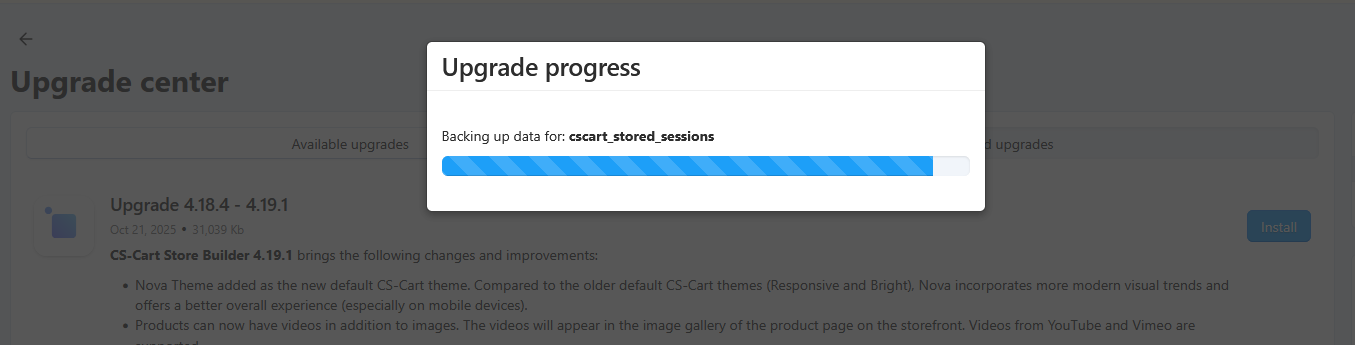
I am trying to upgrade my shop to 4.19.1 but it always gets stuck for long hours while trying to backup table for cscart_stored_sessions. I checked that table keeps at the moment around 396k rows roughly 105MB. I would say this is not a tremendous amount of data which would block this step.
I have tried optimizing database before upgrade and I have also tried many times clearing the cache, still it gets stuck at the exact same spot. Can anyone advise a solution?
What do you see in the upgrade logs (/var/upgrade/core_log.txt) ?
Hello ecomlabs,
Thank you very much for your fast reply. Here are the latest entries to upgrade logs:
Do you think this config is done from server side? By any chance, do you know which exact command is executed at this step of upgrade?
Thanks and Best Regards
At first try to contact hosting support and ask them to enable mysqldump command in the server config
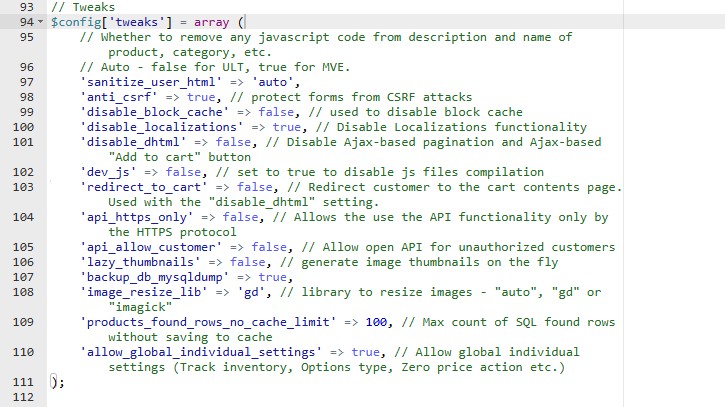
Please locate the backup_db_mysqldump string in the config.local.php file and amend its value to true (do not use quotation marks).
You should also contact your hosting provider and ask them to increase the max_execution_time PHP value, at least temporarily.
1 Like
Hello ecomlabs and cs-cart_team,
Thank you very much again for your replies.
I will ask about the server side mysql configuration if this command is somehow disabled or if there is a chance to enable it to go through with the upgrade.
Meanwhile, I have also had a look to all config.php files, and I was not able to find anything named backup or mysqldump. Do I have to add that as extra string? Can you give me the exact line of code to be added to config.local.php ?
Thanks and Best Regards
1 Like
have a look around line 107
And you may be able to increase max_execution_time PHP value in canel, MultiPHP INI Editor (depedning on your cpanel settings)
if in doubt ask the host
Hello everyone,
Thank you very much for your replies.
I checked my config php and I did not have that entry in there.
I have learnt that the server side had the hosting of website in FreeBSD jails and due to security reasons only php commands are allowed. I’m assuming that was the blocking part for the database backup.
In order not spend any more time on this, I have enabled development mode, backed up database and files manually and then skipped database backup during upgrade. However, this operation does not create an auto backup script to go back in case of errors with the new version.
I will try the suggestions on my net upgrade and give updates to this thread…
1 Like