Hello
4.17.2. I am using the SP3 version. We can enter countries and cities in the delivery fields. How can we organize districts under cities? .
Kind regards
you could add new profile fields
Hello
First of all, thank you very much for your answer. I guess I didn’t explain exactly what I meant. For example, country = Türkiye
city=Ankara district=all districts in the sincan province tab. I couldn’t find a field where I could enter the districts.
This is a dream
From 2012 cs-cart dont want to add cities... i dont know why
Hello
To give an example from Türkiye, there are 81 provinces in our country and each province has at least 10 districts. When the customer writes the address information, they have to write the districts manually. It would be very useful if the districts connected to the province were displayed as a drop-down box when the customer selects the province. I could not find any information on the forum on how to do this.
The Cities add-on was added two years ago, in 4.16.1, as a hidden feature (mostly a feature for third-party developers):
https://docs.cs-cart.com/4.16.x/developer_guide/addons/compatibility/adapting_4152_to_4161.html#cities-add-on
It is planned to make this add-on publicly available in 4.19.1.
1 Like
First of all, thank you very much for the information. It is exactly the feature I was looking for, I could not fully understand how to do it since I cannot use the software in an advanced level. How can I get more detailed information about this or will I have to wait for version 4.19.1
I’m afraid that without development skills, this add-on will not be useful to you in its current state. In that case, I suggest you wait until 4.19.1 is released later this year.
Thank you for your answer. Waiting for the 4.19.1 update to be released is the right decision.
I am eager to learn the software, where can I find detailed information about developing the software?
You’re welcome!
You can start learning CS-Cart development skills from this section of our documentation:
Is this addon hidden in version 4.19.1? I can’t identify it after the upgrade.
Hi!
Yes, this add-on is still unmanaged, so it still not listed on the Add-ons page. You can either install it via console:
php admin.php -p --dispatch=addons.install --addon=cities
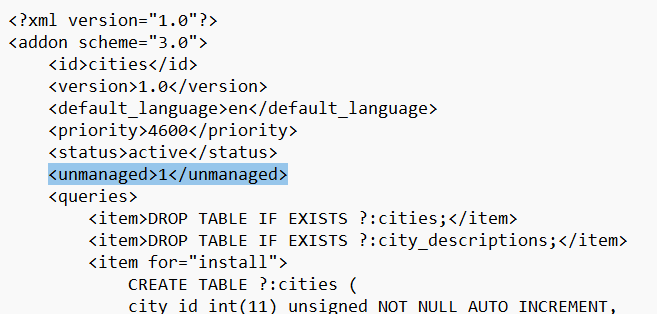
or you can remove the following line:
<unmanaged>1</unmanaged>
from the app/addons/cities/addon.xml to make it appear in the list of all the add-ons.
This line? thank you!
1 Like
Hello
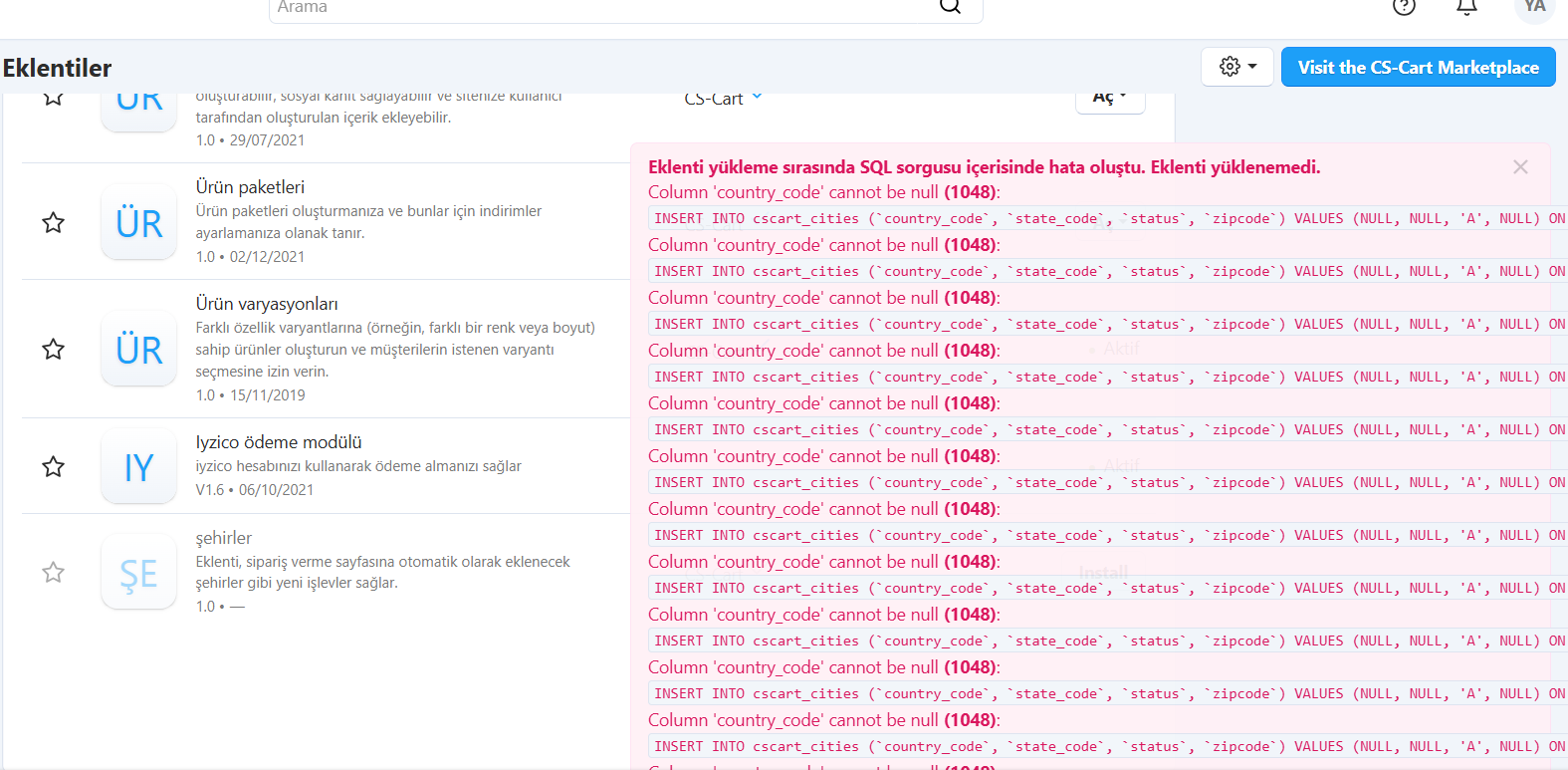
I changed the line and the plugin became visible. I uploaded the district file as a CVS file as described. I installed the plugin, but it shows the country code as empty. It gives a 1048 error. It installs without problems without adding the city CVS file. The district plugin does not appear on the order page. In short, I couldn’t get it to work.
Unfortunately I don’t understand what do you mean. Could you please clarify?
Cities are being listed on the checkout, in the city profile field.
"Hello,
I have installed and activated the plugin. If I install it without including the districts.csv file, the plugin appears to work; however, the district selection dropdown does not appear in the customer shipping information fields on our website.
When I upload the districts.csv file to the server exactly as specified in your documentation and attempt to complete the setup, I receive a 1048 error.
"When I discussed this issue with your distributor in Turkey, they informed me that the plugin is not yet fully functional/stable, which is why I am experiencing these problems
best regars
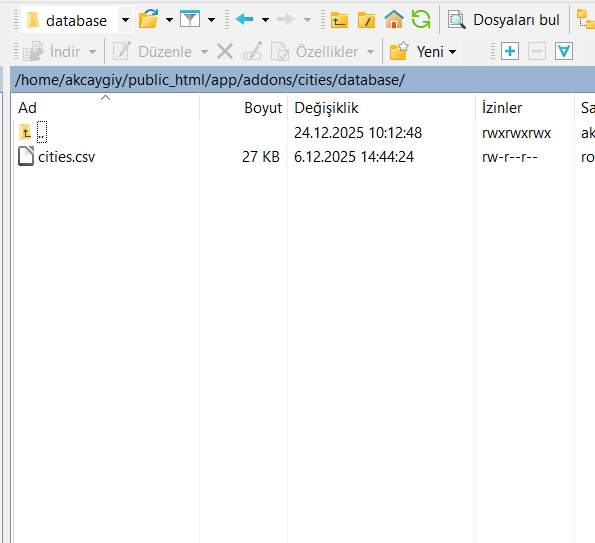
The file should be named cities.csv. Regarding the error, if it is a MySQL error 1048, please provide me with the query and backtrace that cause this error. You can found this information in the store’s logs.
The add-on is functional and stable; however, it currently lacks data, which is why it’s being hidden.
Hello
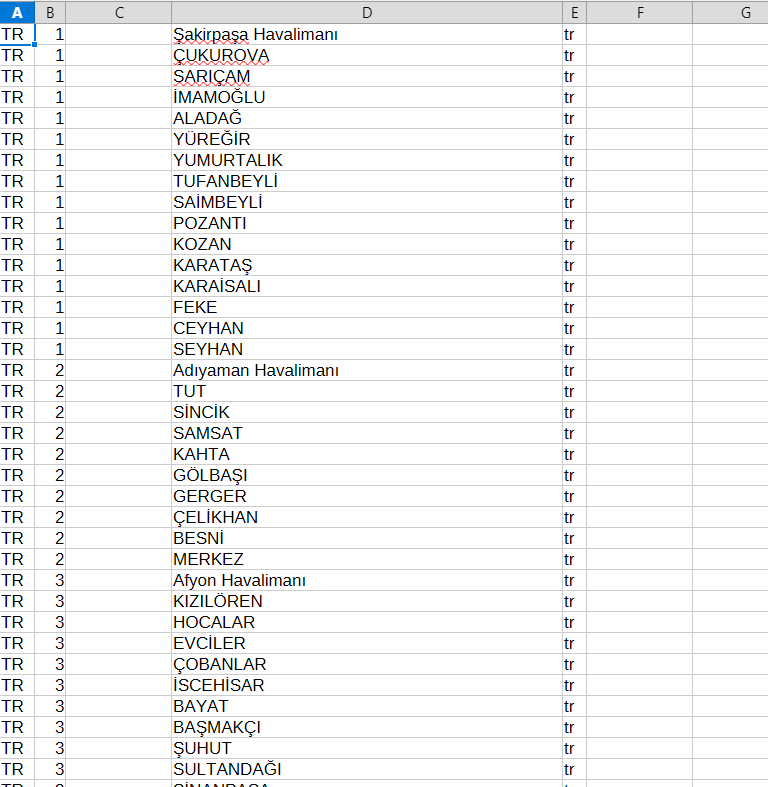
First of all, thank you for your help. I am sending you the file, error message, and FTP screenshots in the attachment.
1 Like
Thank you for the details.
It seems like the article contains error in the structure of the CSV file that should be used for import. The correct one should be like this:
"Country","OblName","PostCodeList","City","lang_code"
"US","MA","02108","Boston","en"
"DE","BE","10115","Berlin","en"
"DE","BE","10115","Berlin","de"
I’ve passed this info to the tech writer.