Hello!
We present you a new addon for Store Builder and Multi-Vendor allows you to insert tags such as [block #117] into descriptions, which are replaced with content from blocks when displayed on the frontend.
The addon is available in the following language versions: Polish, English, Czech, German, Greek, Spanish, French, Italian, Japanese, Romanian, Russian, Chinese, Arabic, Turkish.
Let’s start with installing the add-on:

Screenshot 1
After installing the add-on in the main tab, you can read about how and where to place blocks:

Screenshot 2
The full product description includes a tag, as shown in the image below (Screenshot 3).
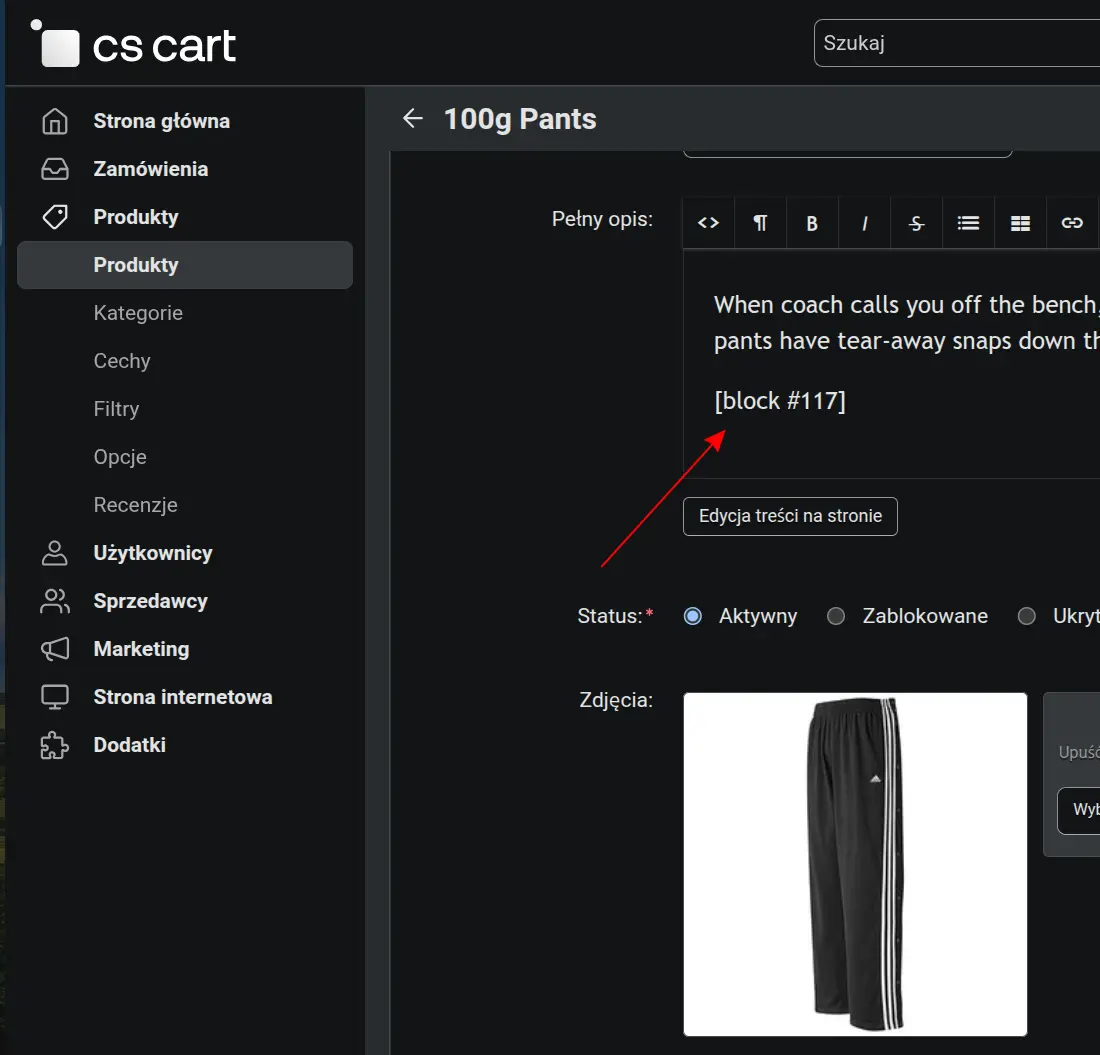
Screenshot 3
Text blocks can be added in block management:

Block content can be entered in different languages and will be displayed on the website depending on the selected language.

Screenshot 5
On the product card on the frontend, you can see that instead of the block tag, the content of this block has been substituted according to the language selected on the frontend:

Screenshot 6
If the block content is empty or has not been filled in, the block tag will be removed from the content displayed on the frontend.
Features:
- no core file changes
- compatibility with 4.19.x, 4.18.x, 4.17.x, 4.16.x, 4.15.x, 4.14.x, 4.13.x, 4.12.x, 4.11.x, 4.10.x, 4.9.x, 4.8.x, 4.7.x, 4.6.x, 4.5.x, 4.4.x, 4.3.x, 4.2.x, 4.1.x,
The addon is available in the following language versions: Polish, English, Czech, German, Greek, Spanish, French, Italian, Japanese, Romanian, Russian, Chinese, Arabic, Turkish
Please, do not hesitate contact us if you have any additional questions.
Link to addon
See our other addons in Marketplace