Extension to Store Builder and Multi-Vendor introduces a new kind of promotion bonus that places a selected product in the customer’s cart at a configurable promotional price, for example $1, $5 or any other amount instead of strictly zero. The shop gains a tool for “gift product for a symbolic amount” campaigns, satisfies accounting rules that require a non-zero line price, and at the same time nurtures the customer’s clear sense of reward for the purchase itself.
Key Features
-
A new kind of bonus in the Marketing, Promotions section that places a product in the cart at a promotional price instead of zero, available in parallel with the native free products bonus.
-
Promotional price defined globally in the add-on panel or individually per product in the bonus picker, with a safe default of 1.00 as the fallback value.
-
The ability to run several promotions at the same time, for example “one product for $1 for orders over $500” alongside “three pieces of the same product at $5 each for orders over $5000”.
-
The promotional product placed by the bonus coexists in the cart next to the same product added manually, and the manually added line preserves its full, regular price without mixing with the bonus line.
-
In the administrator panel, the promotional line in the order keeps its real amount and never appears as “Free”, which keeps accounting and invoicing tidy.
-
Full support for Multi-Vendor and Ultimate, every seller defines their own default price in their own panel and the bonus respects product to company and storefront assignment.
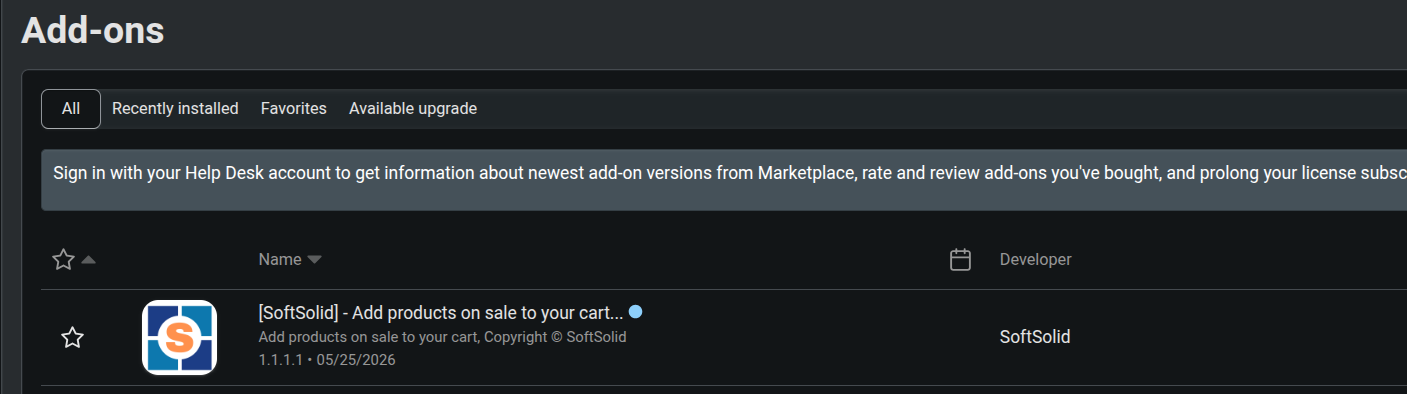
Once installed, the add-ons list reveals the SoftSolid extension responsible for promotional product additions to the cart. The Add-ons screen presents the full identity card of the extension: vendor, version number and release date, and the cogwheel icon leads straight to the configuration. This view is a natural starting point from which the administrator moves to setting the price and enabling the bonus in the very first promotion within seconds.
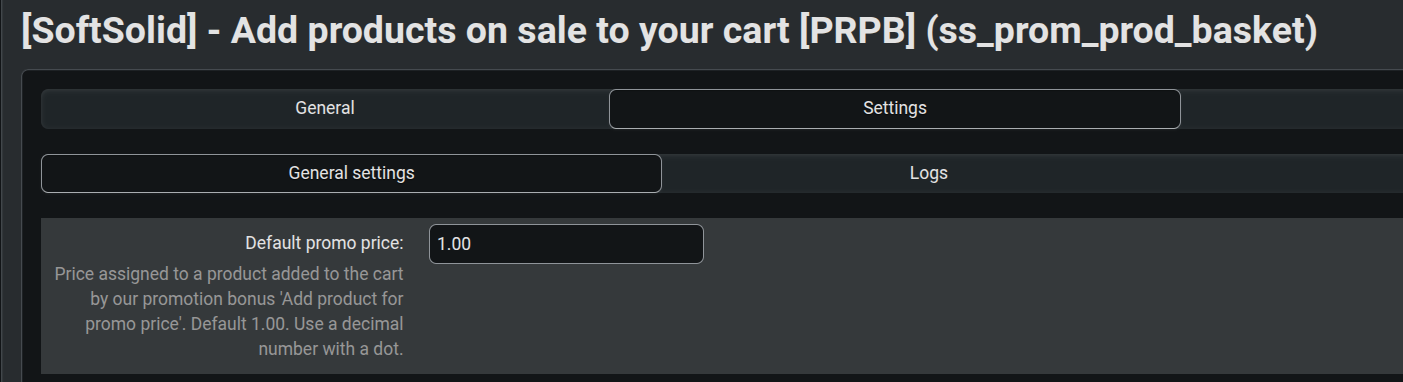
The heart of the configuration remains a single field named “Default promo price” on the General settings tab. The value entered here, 1.00 on the screenshot, serves as a universal fallback amount for every promotion in which the administrator does not enter a price per product. The field accepts a decimal number with a dot, and a concise description below the label explains the purpose of the value to the store team. In Multi-Vendor each seller substitutes their own amount, tuned to the pricing policy of their own catalogue.
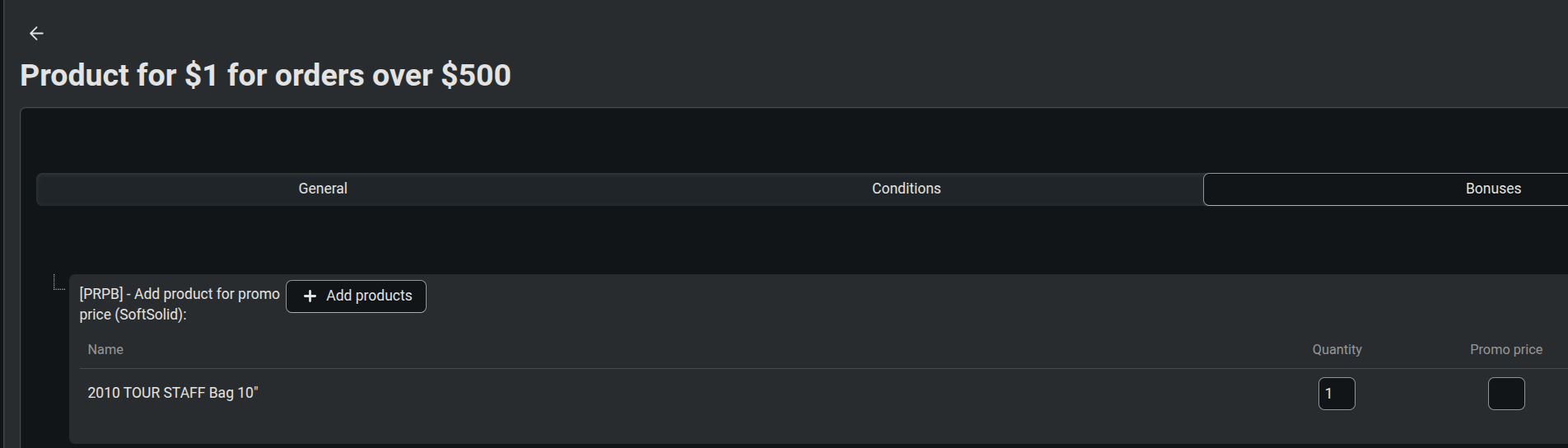
Creating a promotion follows exactly the same path as in the native CS-Cart scenario. On the Bonuses tab the administrator selects the entry “[PRPB] Add product for promo price (SoftSolid)” and picks products from the picker. The example on the screenshot is the “Product for 1 PLN for orders over 500 PLN” promotion, where the reward is a single 2010 TOUR STAFF Bag 10" golf bag. The Promo price column stays empty, so the engine reaches for the fallback value from the add-on settings. The marketing team does not need to learn a new interface, it uses the same picker as for free products.
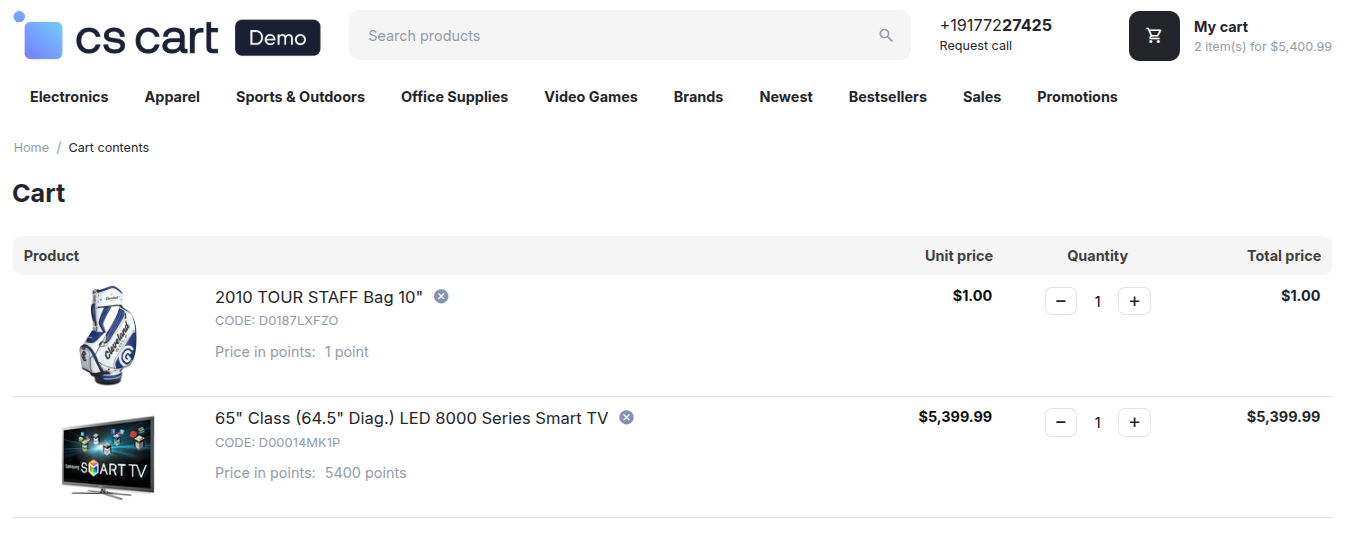
When the customer has filled the cart and crossed the promotion threshold, the reward product appears in the cart on its own, with no involvement of the store team and no discount coupons. The cart view shows a 65" Smart TV at $5,399.99, which met the promotion condition, and a 2010 TOUR STAFF Bag 10" granted by the bonus at $1.00 instead of its full $299.99 price. If the condition ceases to be satisfied, the promotional line disappears as naturally as it appeared, without any need to remove it from the cart manually.
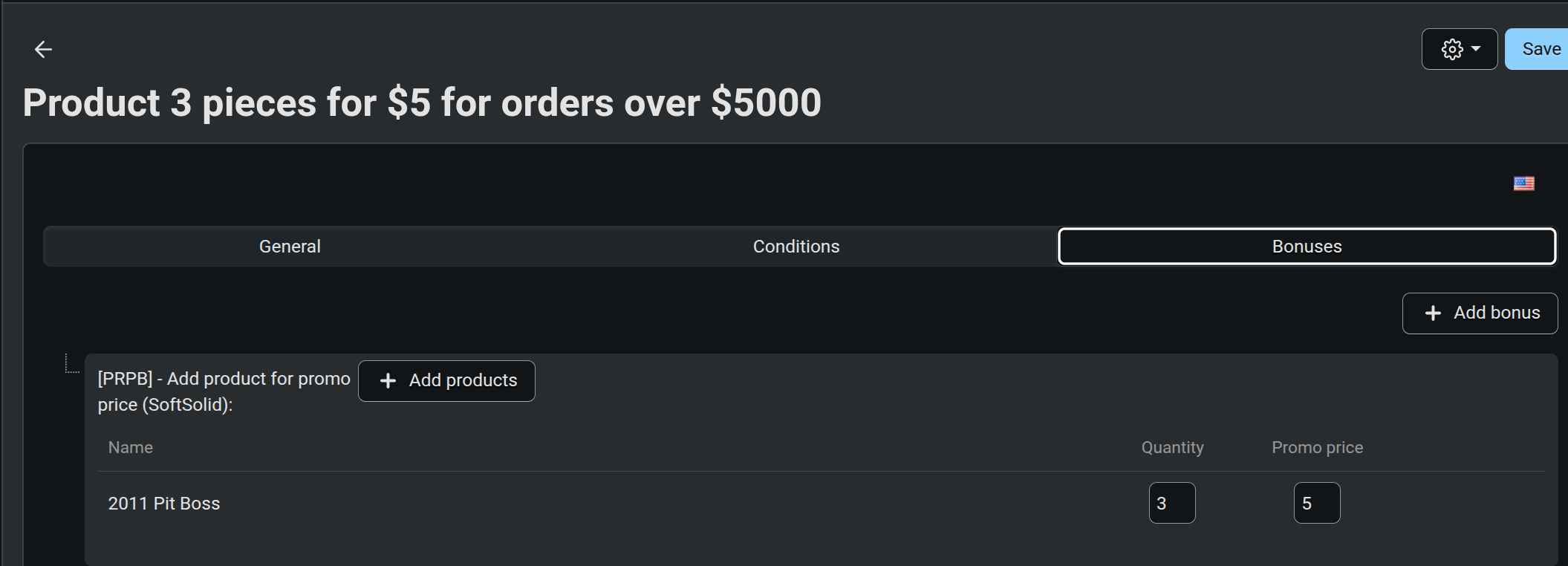
The second promotion shows how flexibly quantity and price can be combined in the picker. The “Product 3 pieces for 5 PLN for orders over 5000 PLN” bonus configures the 2011 Pit Boss product with quantity three and promotional price five. Once the condition is met, the customer’s cart gains three units of this product, each at a price of five. Every entry in the picker may carry its own amount, so within a single promotion one can pair a cheap giveaway at 1.00 with a more expensive add-on at 9.99 or design any other price layout.
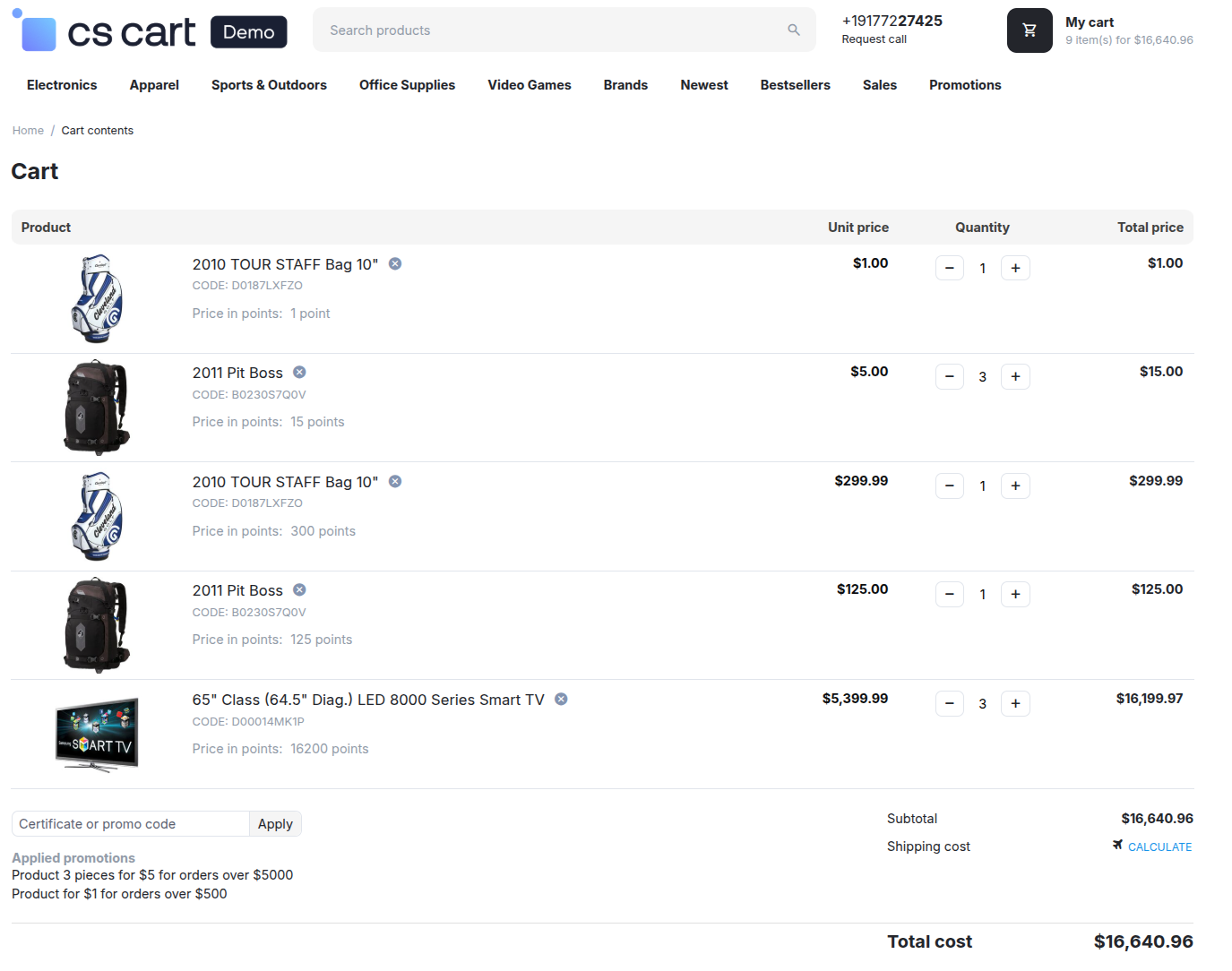
This view reveals what happens in the real cart when two different promotions operate in the shop at the same time. Active campaigns are “Product 3 pieces for $5 for orders over $5000” and “Product for $1 for orders over $500”, both listed in the Applied promotions section under the product list. In the line breakdown one can see the 2010 TOUR STAFF Bag 10" at $1.00 (the outcome of the first campaign) and three units of 2011 Pit Boss at $5.00 each (the outcome of the second campaign). The most interesting part, however, waits a few lines below. The same products appear in the cart for the second time, this time placed there manually by the customer at their regular prices: the 2010 TOUR STAFF Bag 10" at $299.99 and the 2011 Pit Boss at $125.00. The promotional line and the regular line live separately, they never merge, and the customer receives a clean message about what was granted by the promotion and what was added to the cart by their own choice. The 65" Smart TV in three units acts as the line whose total value pushes the cart above both promotional thresholds.
Our add-on is a precise answer to a situation where the native “free product” scenario is not enough, because accounting, tax or marketing policy requires a price greater than zero. Configuration takes a minute, the mechanism inherits the stable cart lifecycle from the CS-Cart core, and Multi-Vendor and Ultimate receive full support with a separate default price for every seller. The shop gains a flexible tool for “product for $1”, “three pieces for $5” or “we add a gift for a symbolic fee” campaigns, without modifying storefront templates and without the risk of regressions during platform updates.
Features:
- no core file changes
- compatibility with 4.20.x, 4.19.x, 4.18.x, 4.17.x, 4.16.x, 4.15.x, 4.14.x, 4.13.x, 4.12.x, 4.11.x, 4.10.x
Please, do not hesitate contact us if you have any additional questions.
Link to addon
See our other addons in Marketplace
Team SoftSolid