Dear Community Member,
Want to give your customers the power to design their own products? The Printable Products Addon allows them to customize items with text, images, and clip art right on the product page, creating a unique and interactive shopping experience.
The admin and vendors have full control over the setup. They manage clip art, create product slides, and define print areas for each product. The addon automatically generates print-ready files, which reduces manual work and speeds up order processing.
Key Features That Make Product Customization Easy
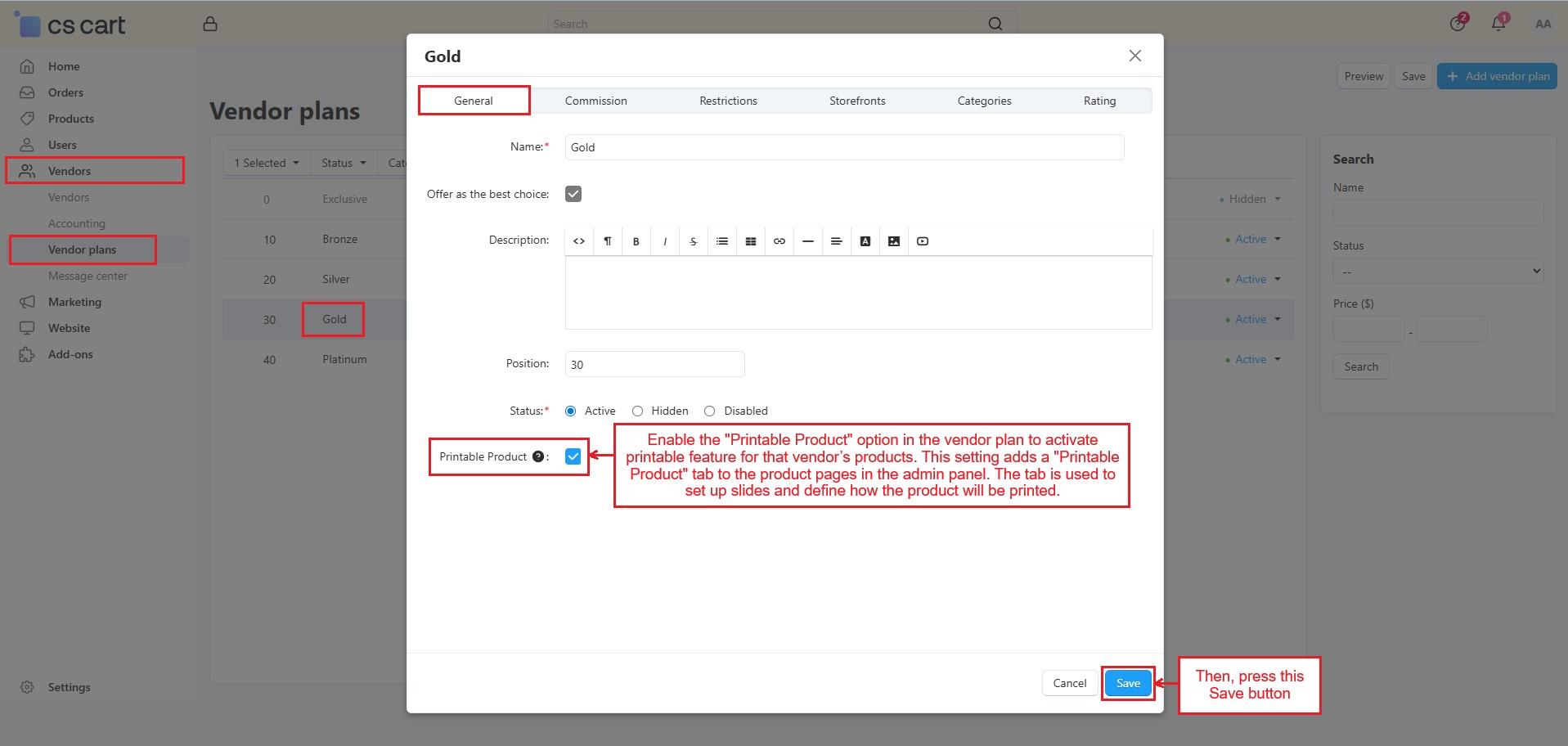
- Printable Product Setup: Enable the printable option from the vendor plan. It adds a Printable Product tab to product pages.
- Vendor-Specific Clip Art: The admin adds clip art for particular vendors. Those clip art appear only on that vendor’s products.
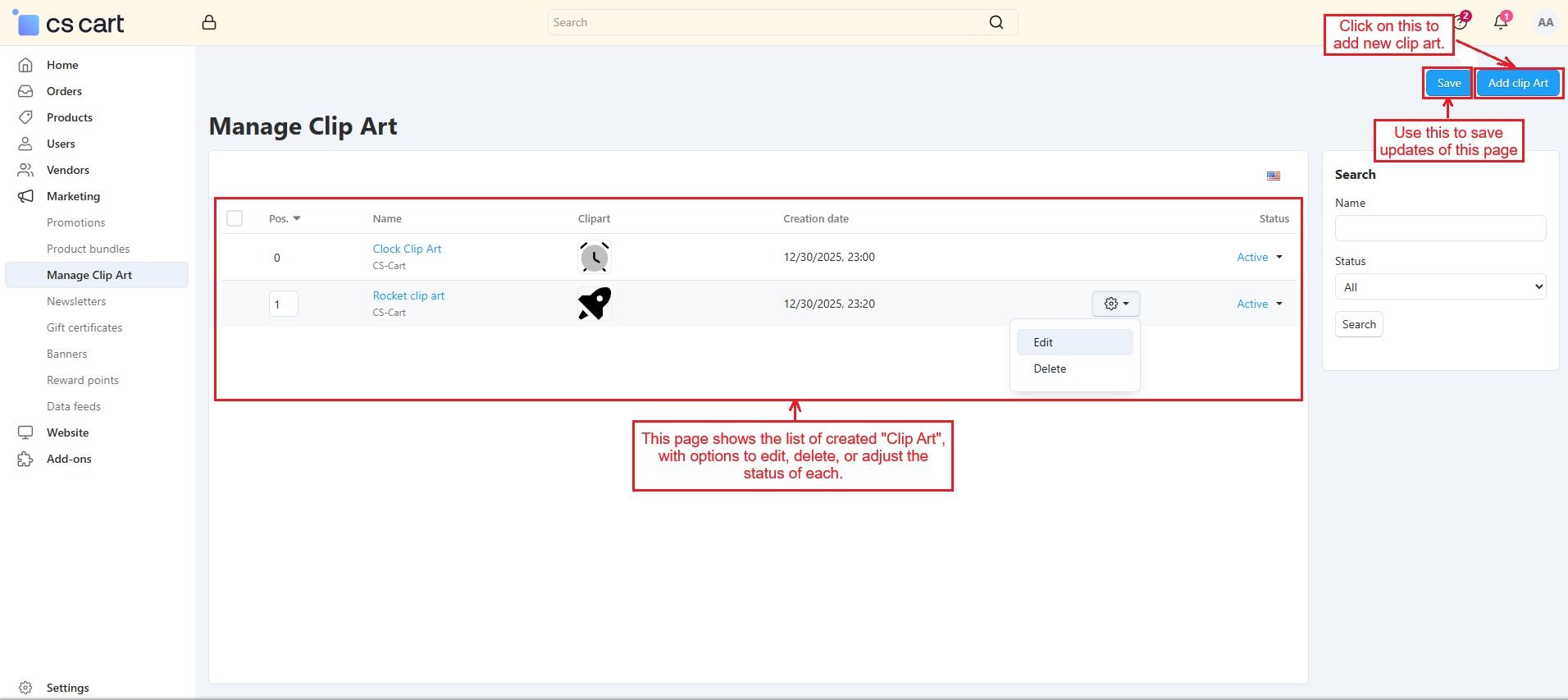
- Easy Clip Art Management: Add, edit, delete, or enable clip art from one page. Upload SVG files with position control.
- Product Design Slides & Print Areas: Add slides with customizable product images and define print areas. These areas control where customers place and resize designs.
- Text Design Tools: Customers add text to products. Font style, size, and placement stay editable.
- Image Upload Option: Customers upload their own images for printing. Uploaded designs stay within the allowed print area.
- Design Preview and Edit: Preview designs before checkout. Edit or re-create designs from the cart or product page.
- Downloadable Print Files: The admin and vendor can download print-ready files. Files show full design and element details.
- Vendor Panel: Vendors have the same control as the admin. They can manage clip art, enable printable products, select clip arts, and add slides for their products.
How Addon Works
- Access the addon through Items for Menu. The Manage Clip Art section helps control clip art used in product designs for selected vendors.
- Enable the Printable Product option in the vendor plan to allow product printing. This adds a Printable Product tab on product pages to set up slides and print details.
- Open the product of the vendor whose vendor plan has the Printable Product enabled.
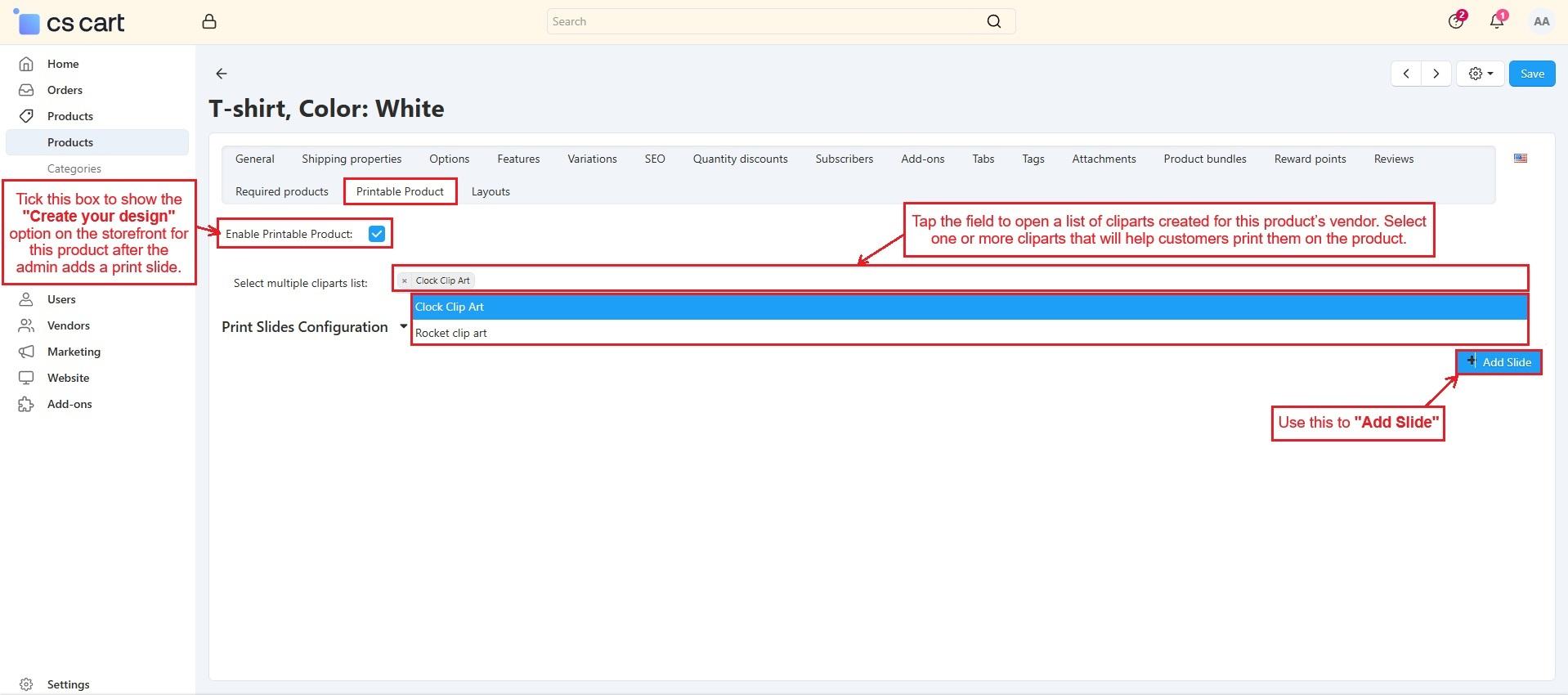
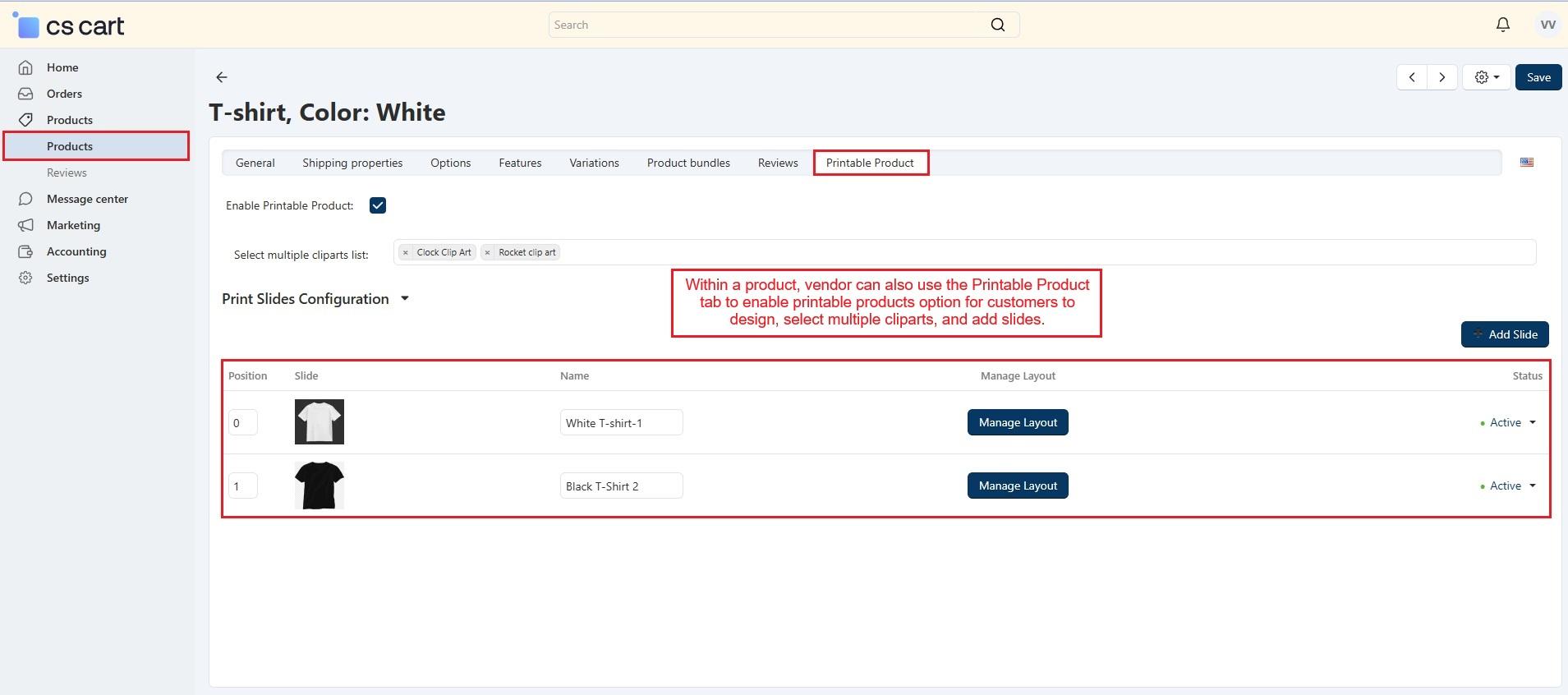
- Now, in the Printable Product tab, enable it to show the “Create your design” button on the storefront. You can select one or more clipart lists created by the vendor to let customers use them for printing.
- Press “Add Slide” to open the window, enter the name, upload a customizable image, set position and status, then save. Repeat to add more slides.
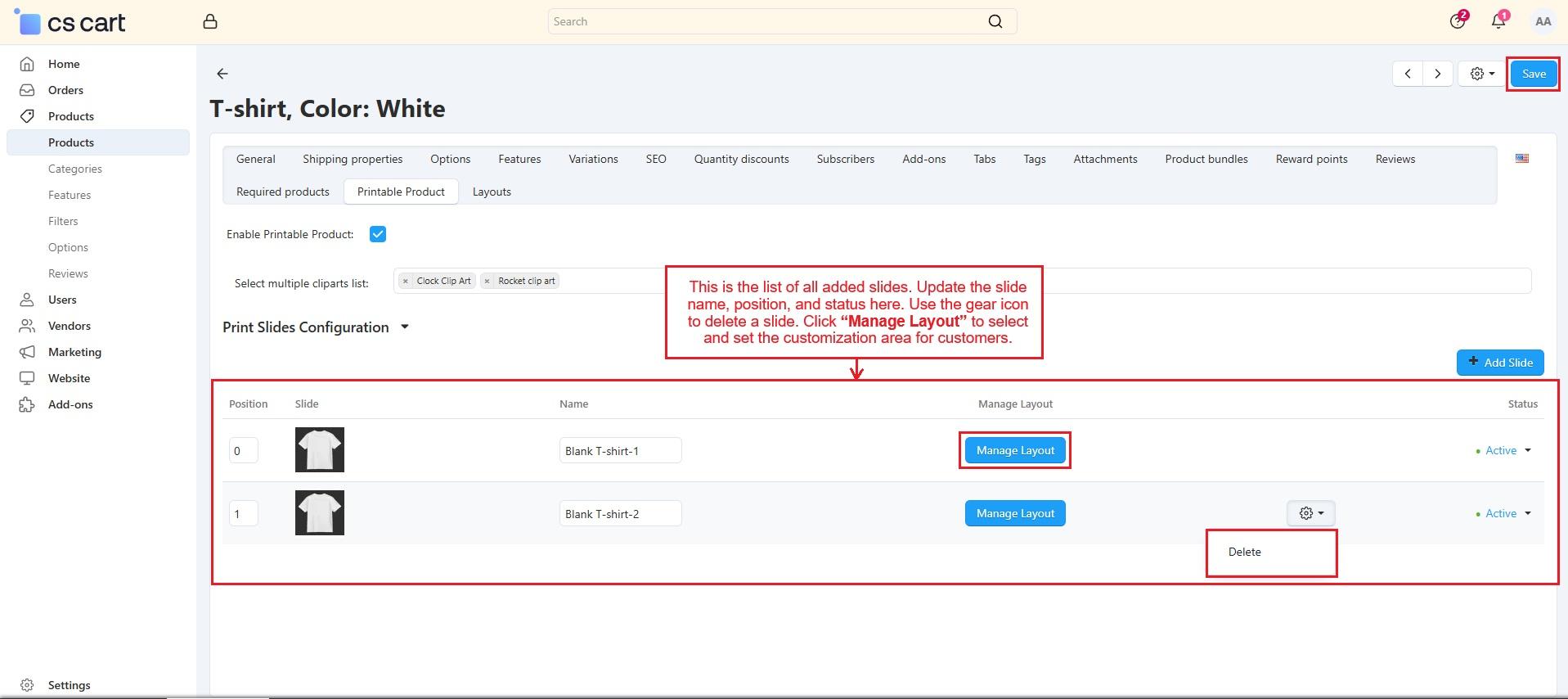
- Then, this page shows all slides, where the admin can update name, position, status, delete slides, and manage the customization area using “Manage Layout”.
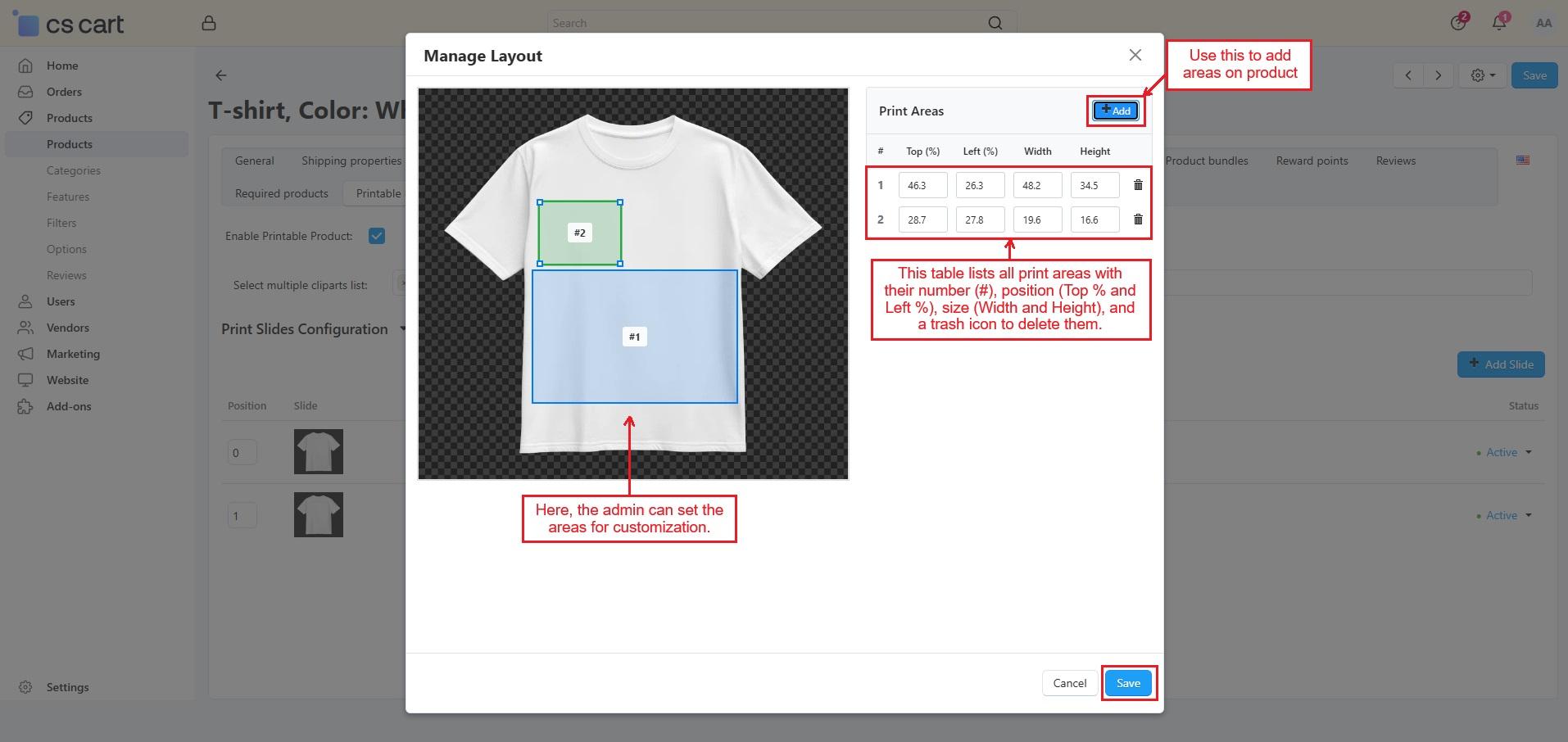
- Add a print area, adjust its size, view details in the table, add more if needed, and save.
Use of “Create Your Design” on the storefront
-
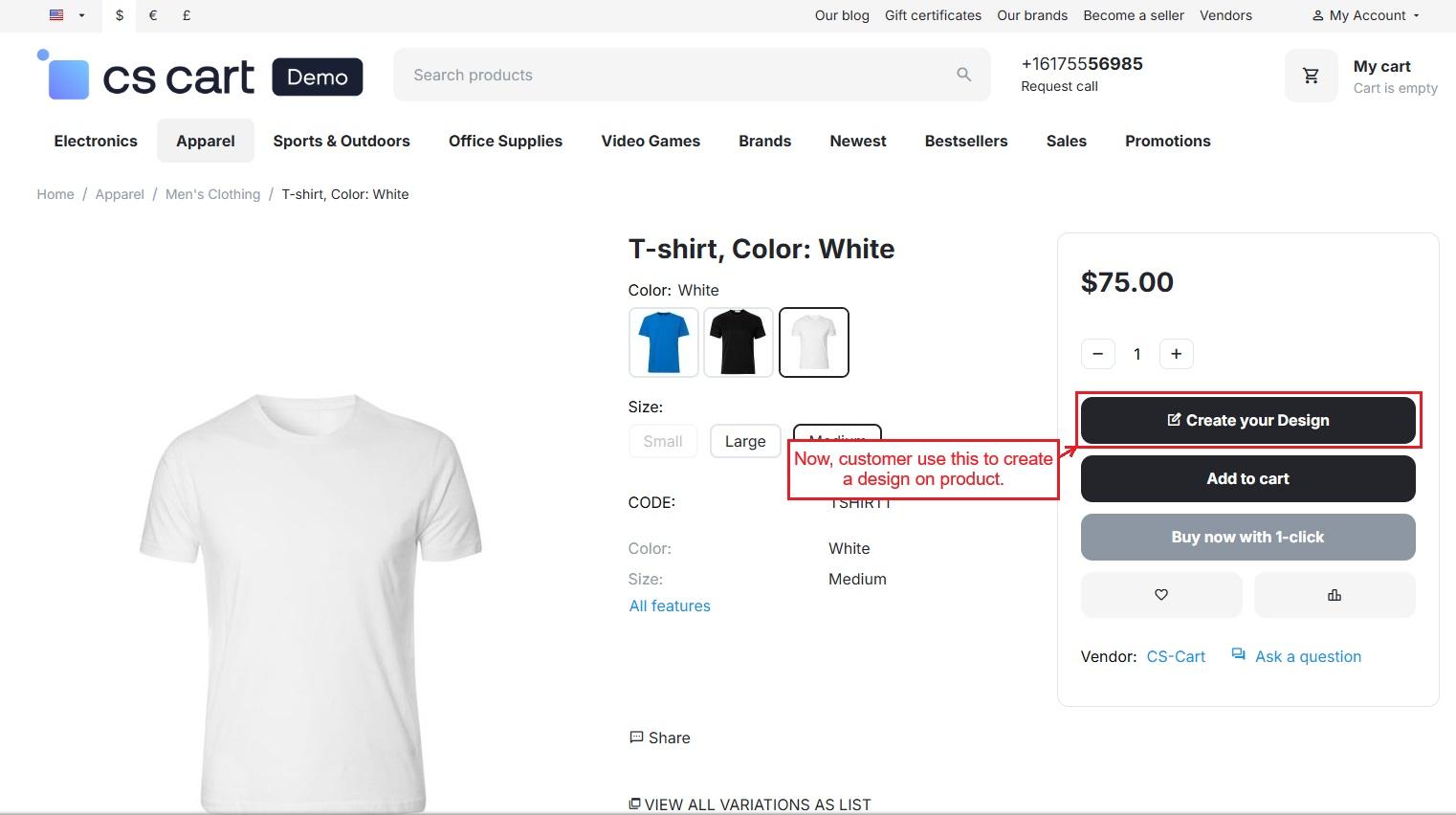
On the storefront, open the product and use “Create Your Design” to start designing.
-
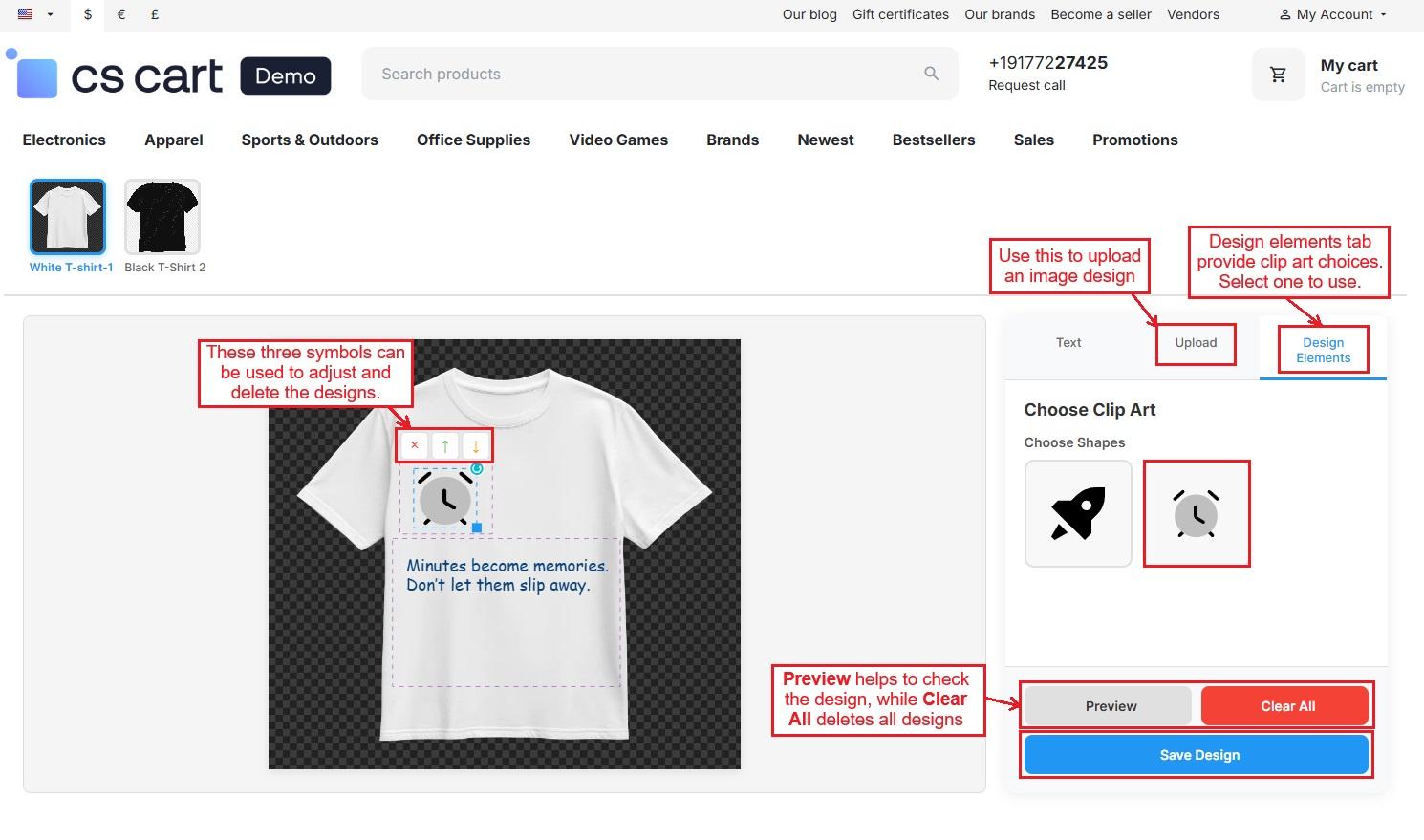
Added slides appear at the top; select one to design. Use the Text tab to add and style text, Upload to add images, and Design Elements for clipart. Preview the design, Clear All if needed, then Save Design. Elements can be deleted or moved within allowed areas.
-
Once the customer saves the design, the “Edit Print” and “Preview” options appear on the product page.
-
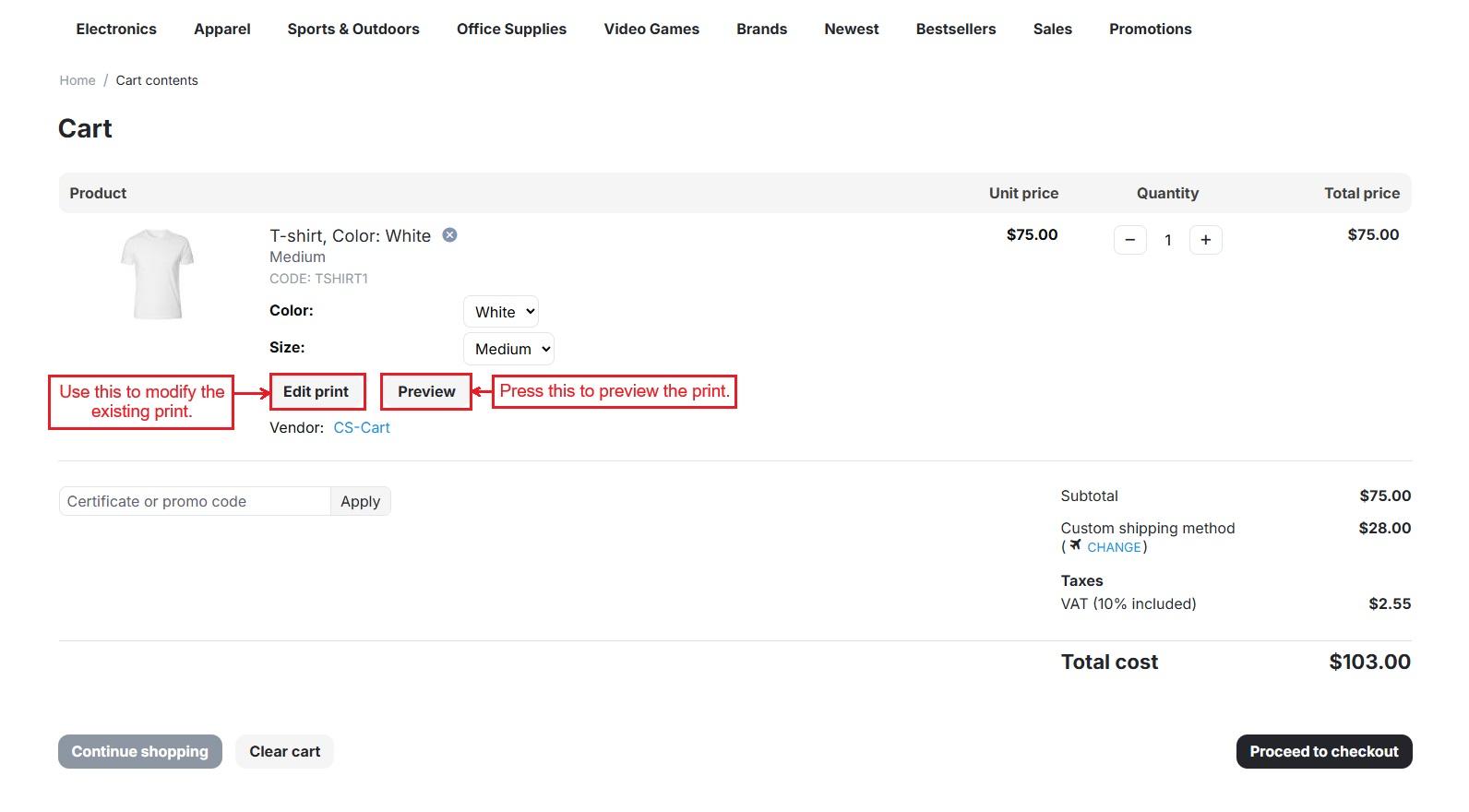
Adding the designed product to the cart shows full details with Edit Print, and Preview options.
-
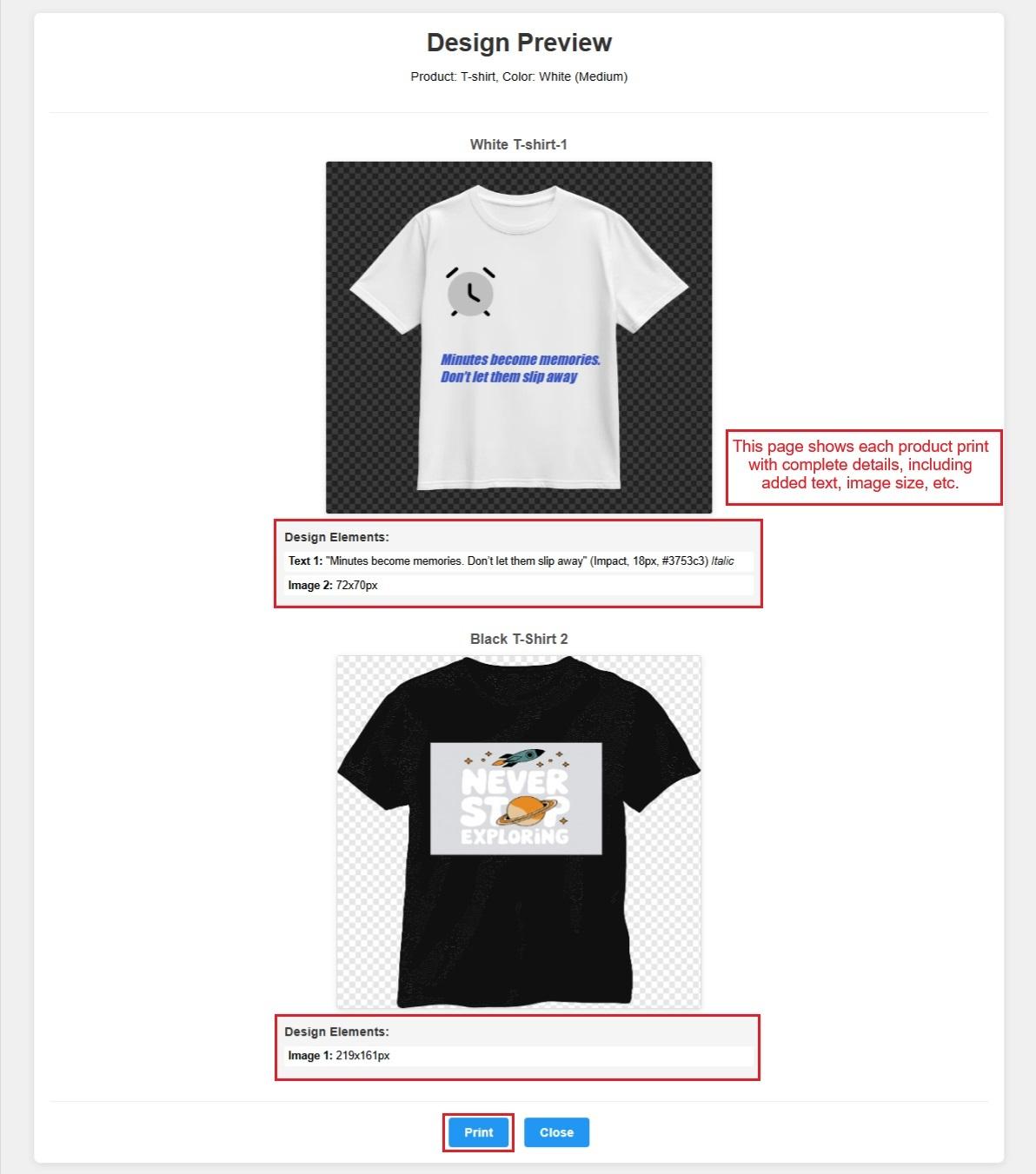
Preview shows the product design with details and can be printed.
-
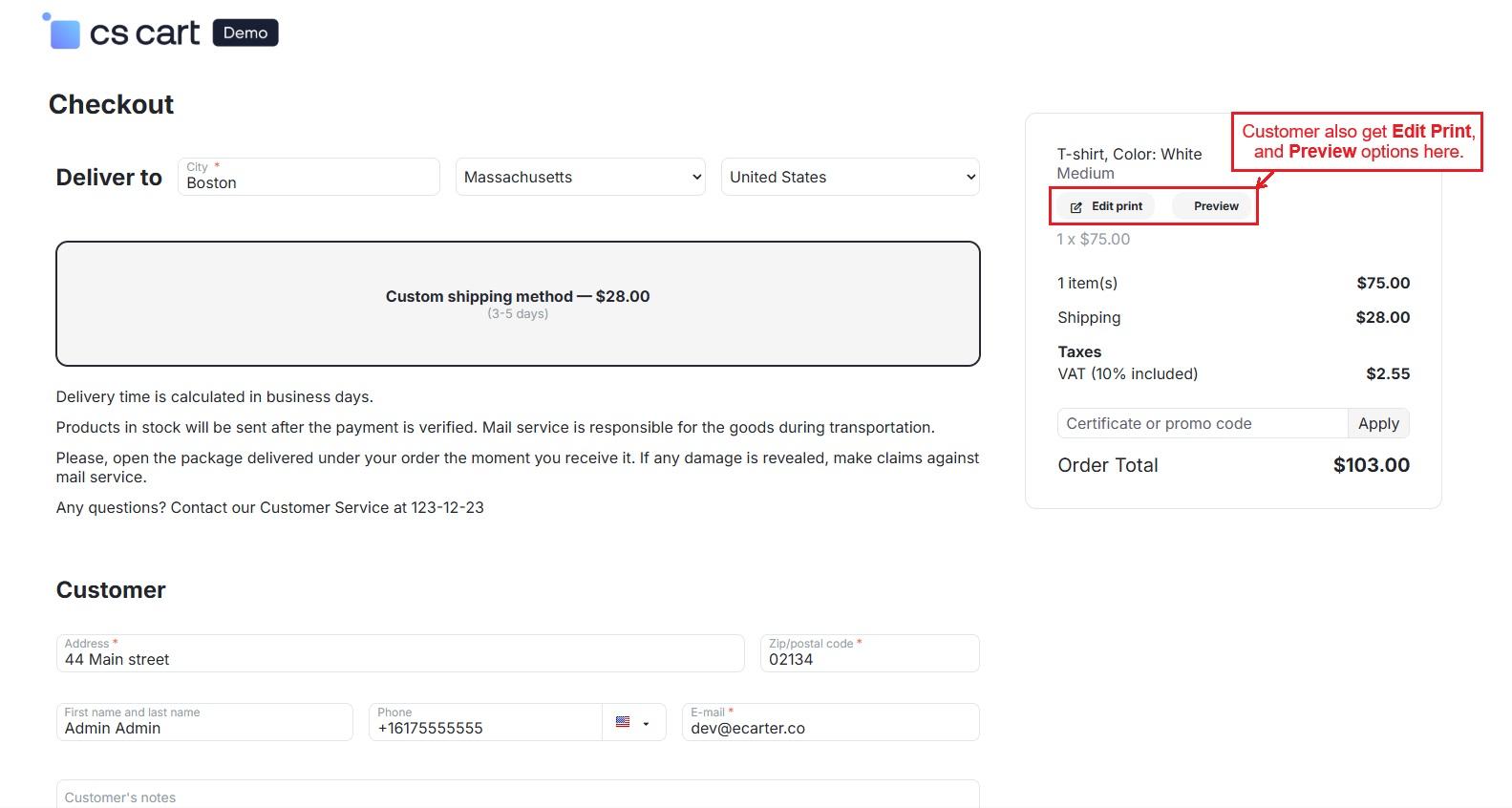
Use “Proceed to Checkout” to place the order. Checkout also shows Edit Print and Preview options.
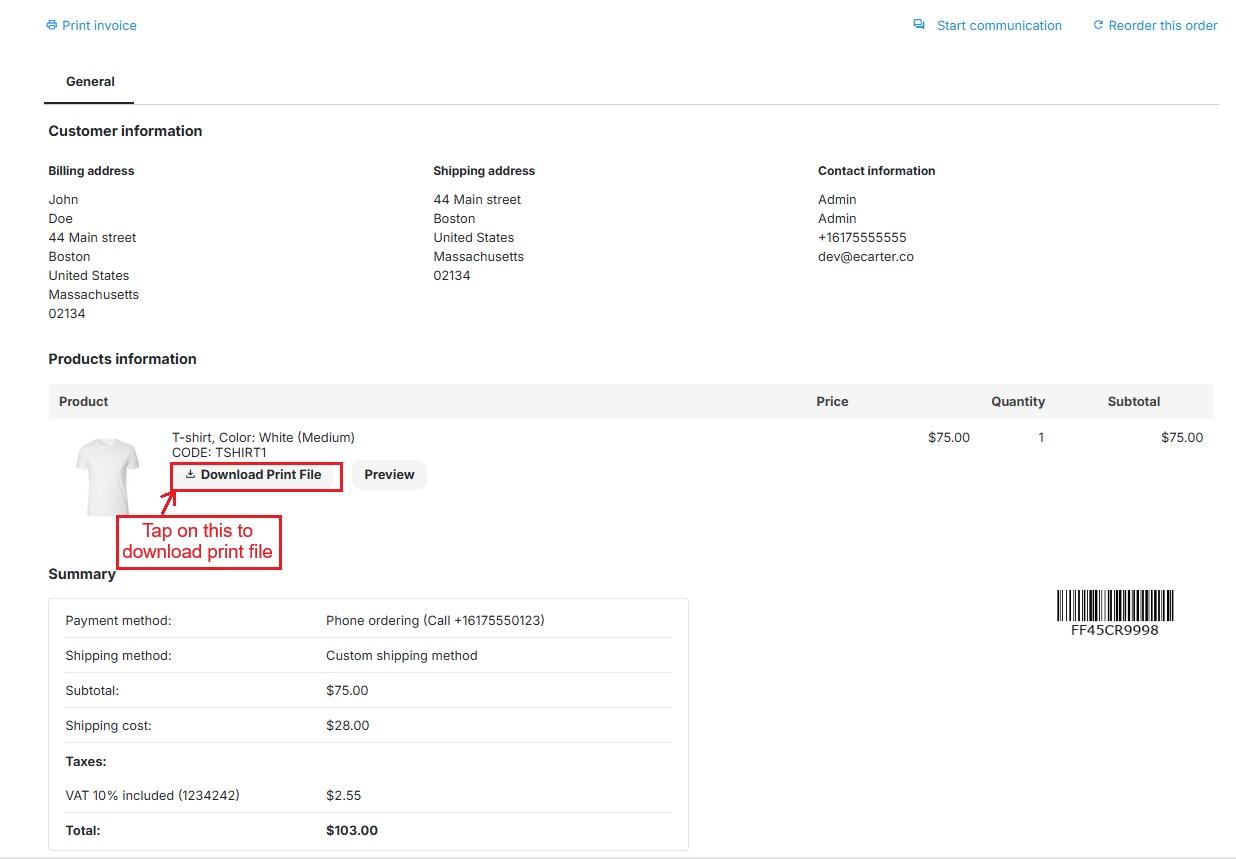
- The product details page provides “Download Print File” and “Preview” to view the full design with details.
Vendor Panel
- Vendor Panel also allows vendors to manage clipart and use the Printable Product tab to enable printing, select cliparts, and add slides.
User Guide:
Learn more about Printable Products Addon
Buy:
To buy this addon, please visit Marketplace store 1
Compatibility:
CS-Cart, CS-Cart Multivendor,4.7.x, 4.8.x, 4.9.x,4.10.x,4.11.x,4.12.x,4.13.x,4.14.x,4.15.x,4.16.x,4.17.x,4.18.x**
Support:
This addon is developed and published by Ecarter Technologies Pvt. Ltd., a CS-Cart developer. You are guaranteed a quality add-on supported by future versions. If you need help, please contact us via email support@ecarter.co
Need modifications or any assistance? Please email at support@ecarter.co