Dear Community Members,
Looking to make your store’s payment process more flexible with a trusted PayLater payment method?
This addon provides a clear installment flow that helps customers pay in small steps while keeping the checkout easy to follow. It gives customers an easy PayLater process with simple installments, secure OTP verification, and a clear view of their payments. Customers select PayLater at checkout, check the full installment plan with no extra charges, and complete the process safely through OTP. For added convenience, the addon also supports payments through credit and debit cards.
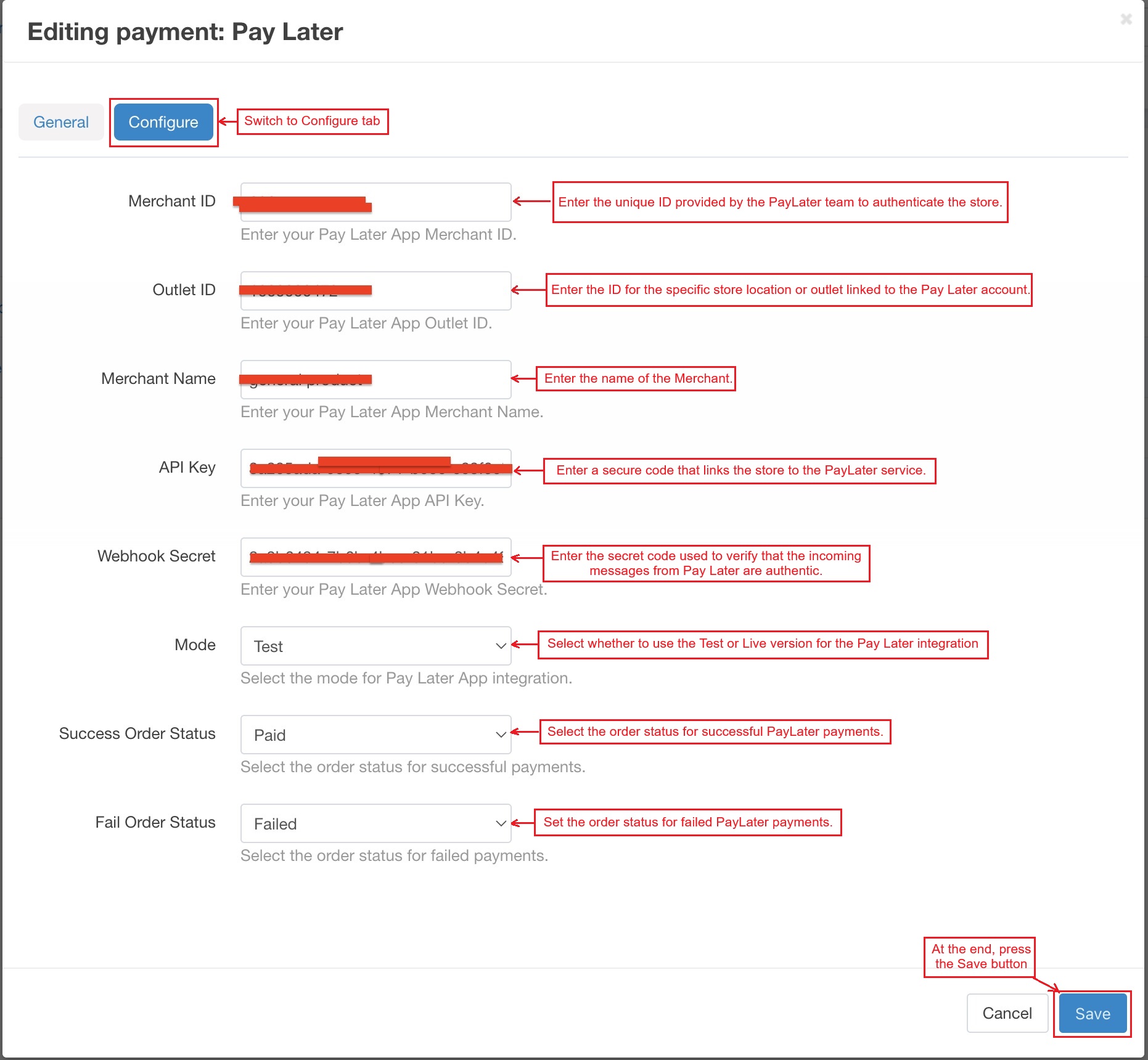
The admin panel provides a clear and straightforward setup process. The store connects to the PayLater system by entering the Merchant ID, Outlet ID, Merchant Name, API Key, and Webhook Secret. The admin select the mode for test or live payments and define the order statuses for both successful and failed transactions. After saving these settings, the PayLater method runs smoothly during checkout, giving the store owner full control and flexibility.
Why Choose this Addon?
These are some important features of this addon that explain how it works:
-
Easy PayLater Setup: Admin enters the Merchant ID, API Key, and other required details to connect the store with PayLater.
-
Installment-Based Payment Schedule: Shows all installments clearly, including the first payment and upcoming dates with no extra charges.
-
Credit & Debit Card Support: It allows customers to choose a saved credit card, add new cards, or pay using a debit card.
-
Secure OTP Verification: Uses a 4-digit OTP and two-factor authentication to verify the customer safely.
-
Clear Order Status Updates: Assigns different order statuses for successful or failed PayLater payments.
-
Complete Order Details: Shows the full order summary and payment information after the payment is completed.
How the Addon Works
In the admin panel, access the addon and switch to the Configure tab
- Merchant ID: Enter the unique ID provided by the PayLater team to authenticate the store.
- Outlet ID: Enter the ID for the specific store location or outlet linked to the Pay Later account.
- Merchant Name: Enter the name of the Merchant.
- API Key: Enter a secure code that links the store to the PayLater service.
- Webhook Secret: Enter the secret code used to verify that the incoming messages from Pay Later are authentic.
- Mode: Select whether to use the Test or Live version for the Pay Later integration.
- Success Order Status: Choose the status that will be applied when a PayLater payment succeeds.
- Fail Order Status: Choose the status that will be applied when a PayLater payment fails.
Then, press the Save button.
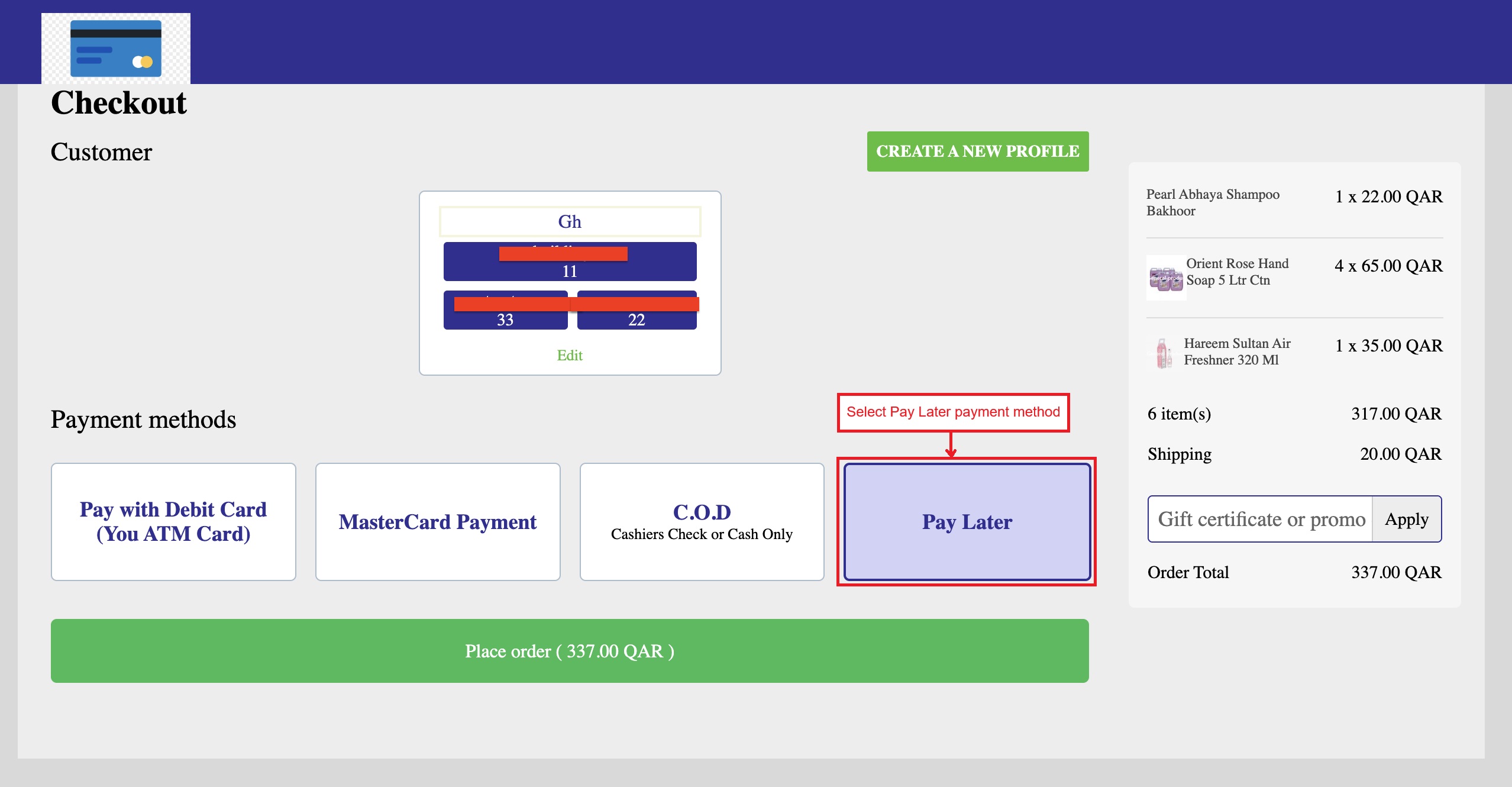
Pay with PayLater Payment Method
- In the Pay Later store, select the products, choose the Pay Later payment method at checkout, and place the order.
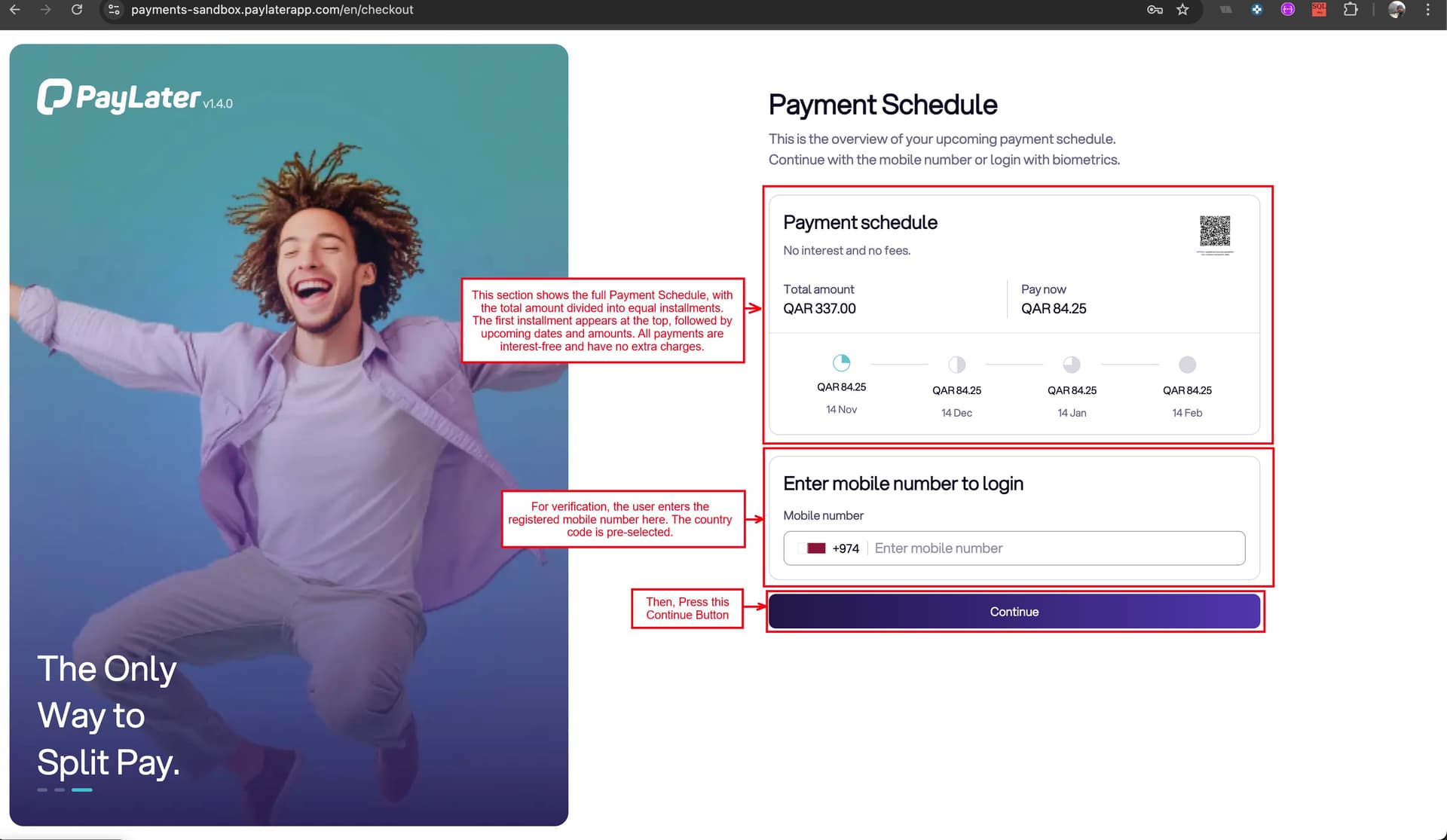
- The page shows the full Payment Schedule, with the total amount divided into four equal installments. The first installment appears at the top, followed by upcoming dates and amounts. All payments are interest-free and have no extra charges.
- The login section requires the registered mobile number for verification. The country code is pre-selected, and the number can be entered in the box.
- A continue button at the bottom moves forward to complete verification in the Pay Later system.
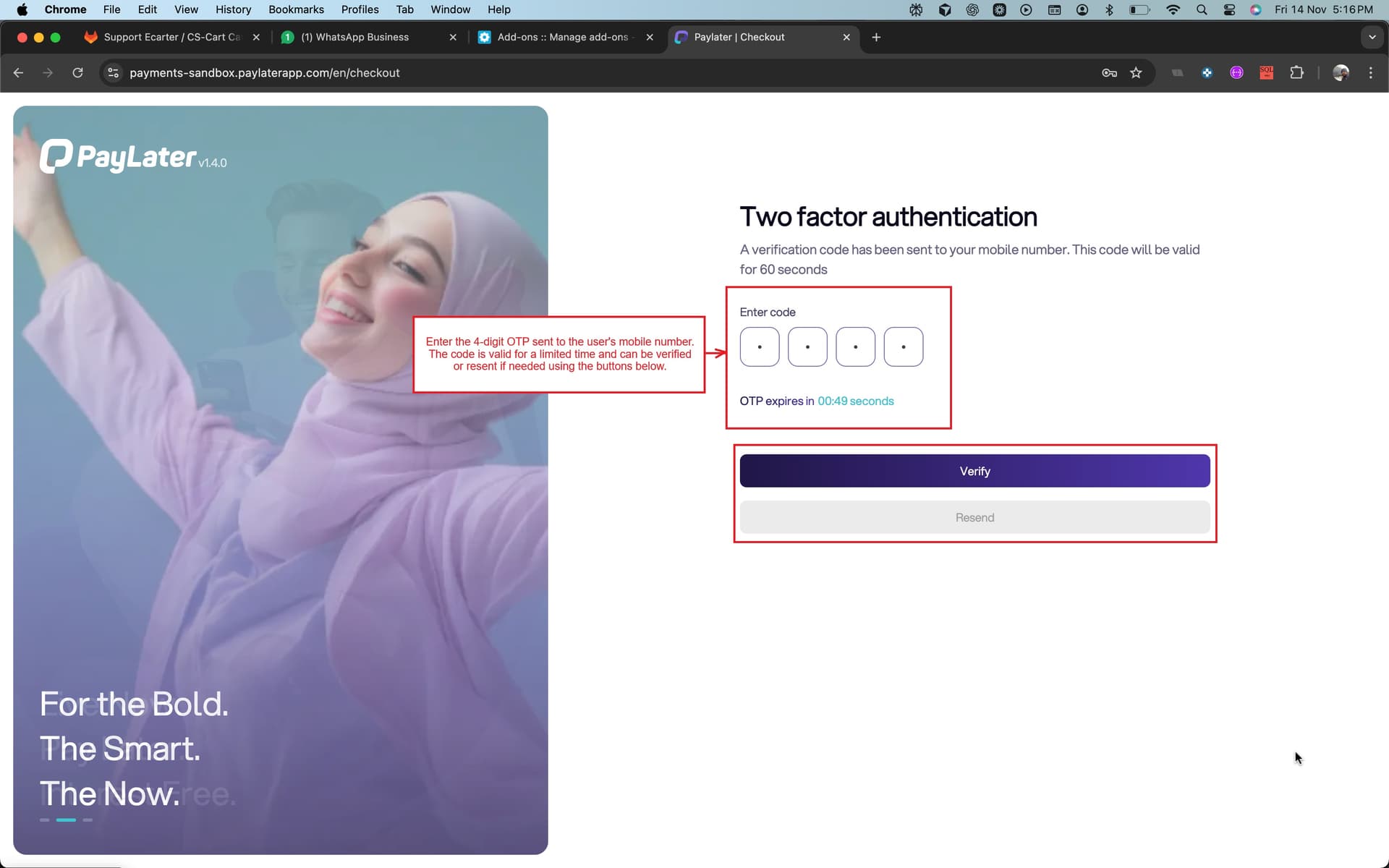
- This is the PayLater Two-Factor Authentication page. Users must enter the 4-digit OTP sent to their mobile number. The OTP is valid for a limited time, as shown on the screen. Users can verify the code to proceed or resend it if needed.
- Now, the payment schedule page also includes a section to choose a Payment Method. Users can select a credit card from a dropdown list or use the “+ Add Another Credit Card” option to add more cards.
- There is a limit of four saved cards. To add a new card beyond this limit, users must first log in to the PayLater mobile app and remove an existing card.
- In the Payment Method section, users can also choose to pay with a debit card.
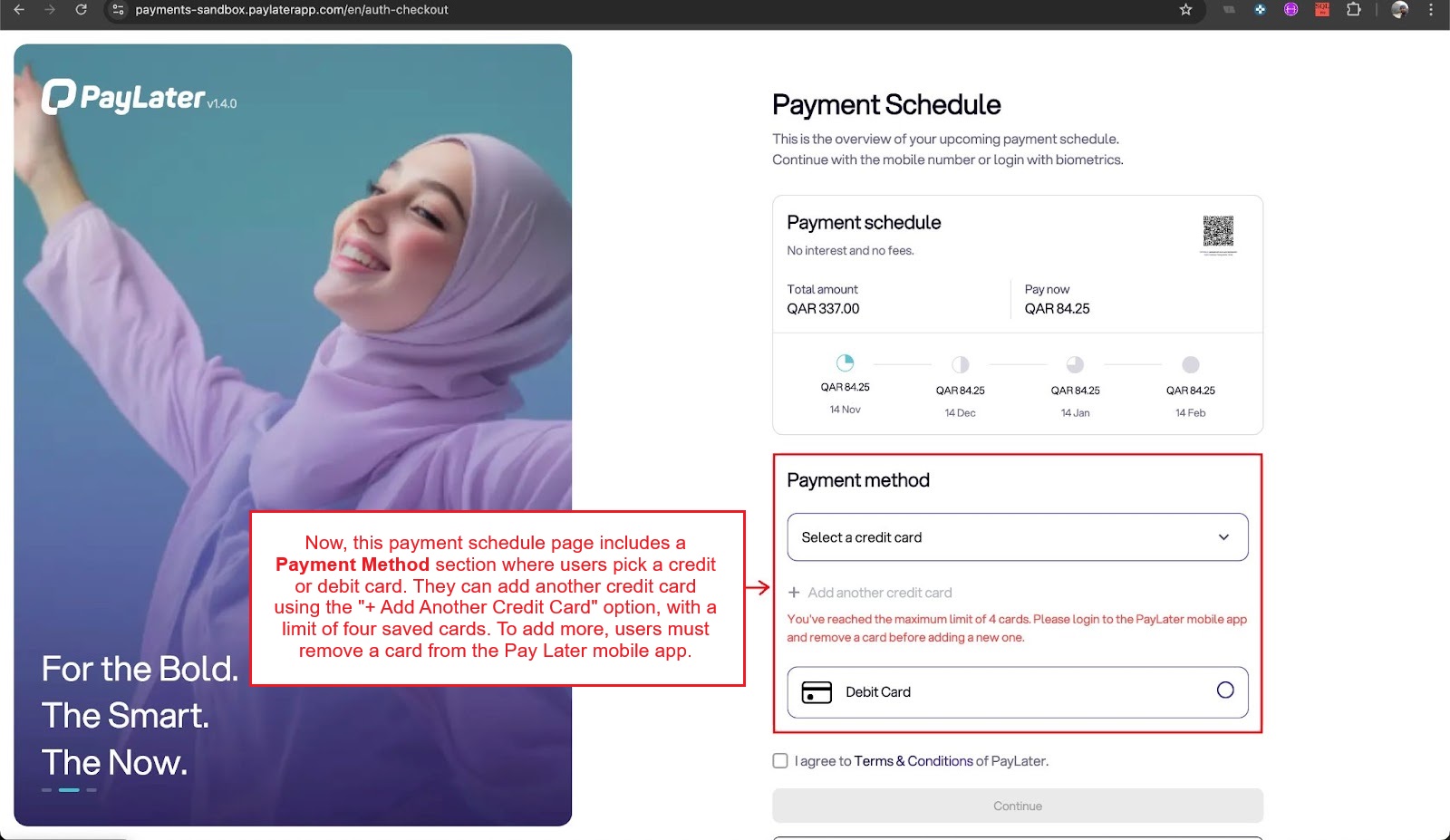
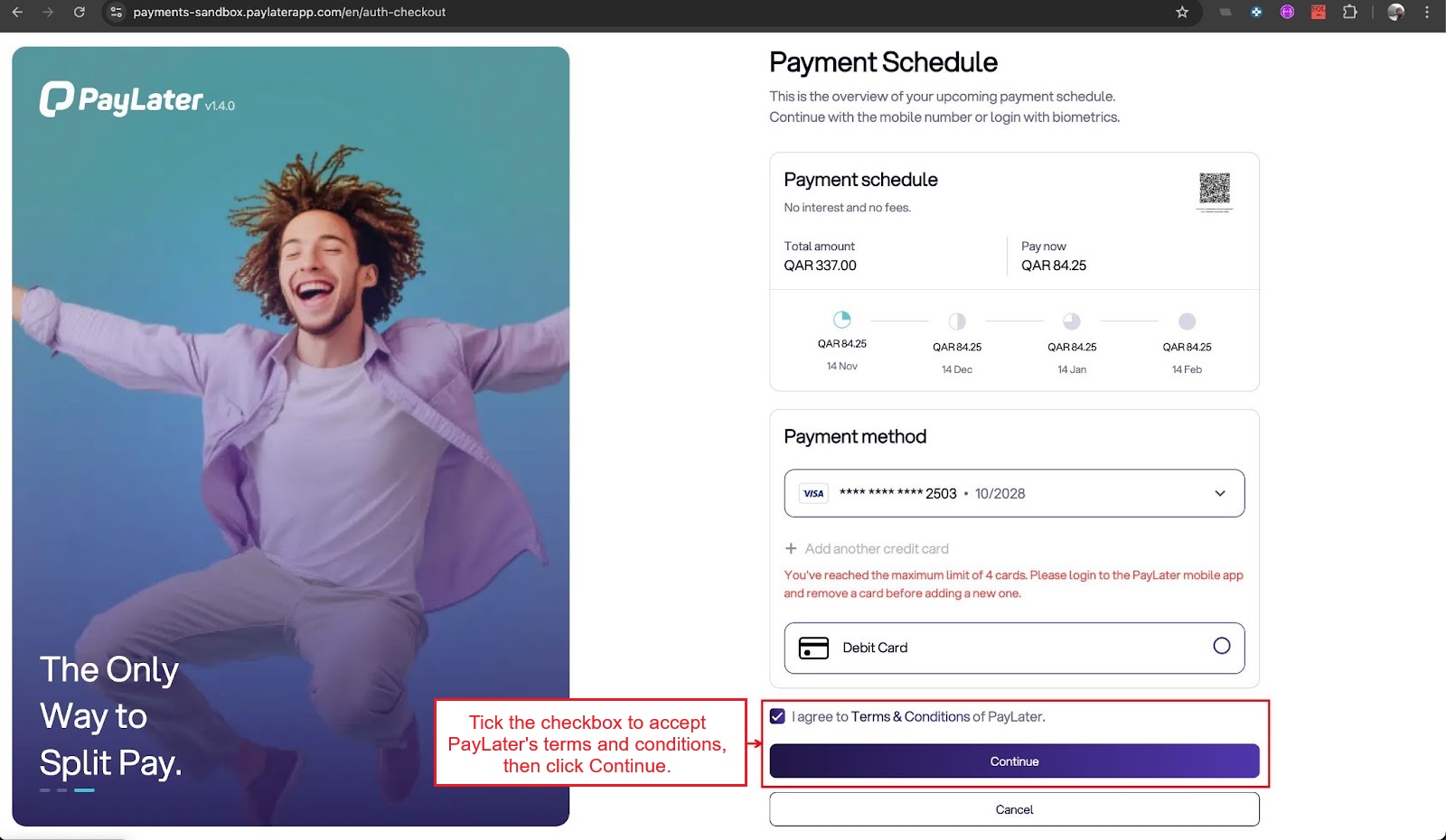
- Use the drop-down present in the credit card option and select any card from the list of four cards.
- To proceed, tick the checkbox to accept the terms and conditions of PayLater and press the Continue button.
-
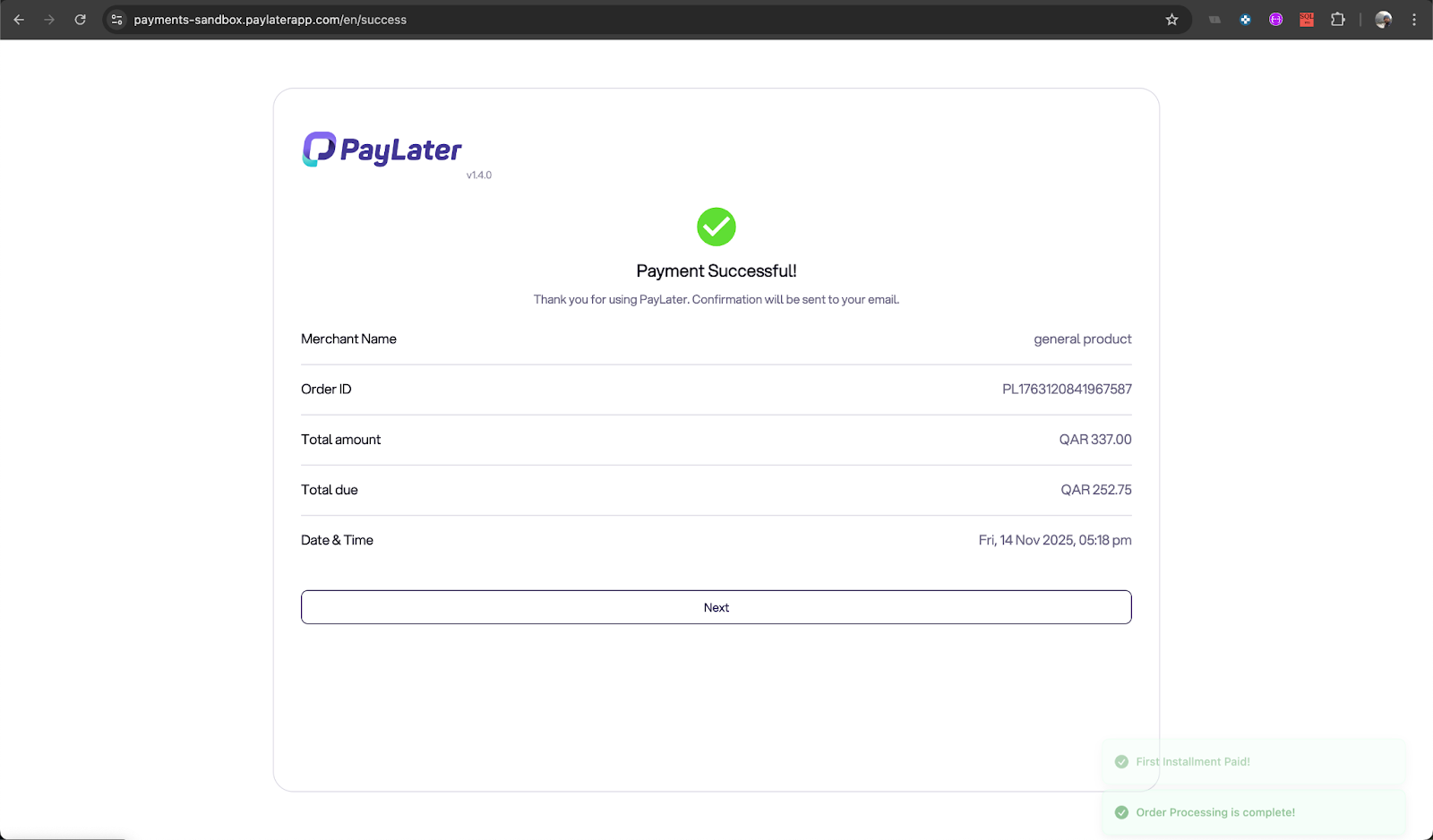
Payment has been completed successfully.
-
On this page, check the full order details, along with payment information.

User Guide:
Learn more about CS-Cart PayLater Payment Method Addon.
Buy:
To buy this addon please visit Marketplace store.
Compatibility:
CS-Cart, CS-Cart Multivendor,4.7.x, 4.8.x, 4.9.x,4.10.x,4.11.x,4.12.x,4.13.x,4.14.x,4.15.x,4.16.x,4.17.x,4.18.x**
Support:
This addon is developed and published by Ecarter Technologies Pvt. Ltd., a CS-Cart developer. You are guaranteed a quality add-on supported by future versions. If you need help, please contact us via email support@ecarter.co
Need modifications or any assistance? Please email at support@ecarter.co