Dear Community Members,
Are you looking for a simple way to block or remove unwanted words from product content?
We are excited to introduce our Word Blocker Addon
With this addon, you can remove or replace bad words with asterisks(*) in product names, descriptions, features, filters, options, and categories. The case-sensitive feature ensures matching or ignoring uppercase and lowercase variations. Also, the admin can add multiple bad words in the block bad words list. This addon automatically detects and notifies you when these words are used, ensuring a safe and professional shopping experience for all users.
Features
-
Automatic Bad Word Detection: The addon checks for bad words in product names, descriptions, categories, options, filters, and features.
-
Warning Notifications: When a bad word is detected, a warning notification alerts you, and the word is automatically removed or replaced.
-
Case Sensitivity:
- Off Removes bad words regardless of uppercase or lowercase.
- On: Matches words exactly, including letter case.
-
Bad Word Remove: removes or replaces bad words in product names, descriptions, features, filters, options, and categories with asterisks(*).
-
Asterisks Replacement: For replaced bad words, asterisks appear between the first and last letters(e.g.,”b***d”).
-
Full word Replacement: This feature replaces the entire bad word with asterisks (e.g., “****”).
-
Well integrated with CS-Cart multi-vendor.
You see the settings page.

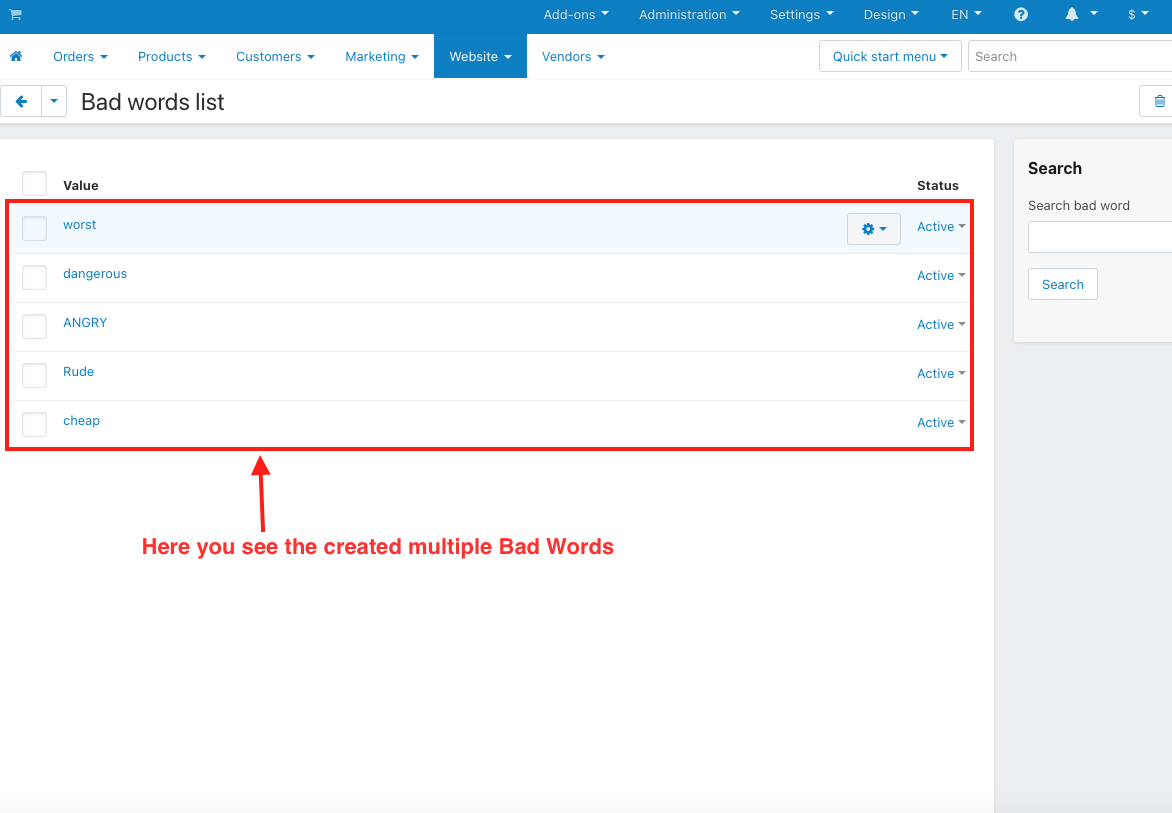
Here you can create bad words.

You see, they created multiple bad words.
Users enter the bad word in the product name and description.

You can see the warning notification and bad words removed from the product name and description.

Users can use the same setting in the features, then they see asterisks replacing the letters between the first and last letter of the word.

You see the asterisks between the feature name created here.

You select the next option to replace letters with asterisks between the first and last letters in action on the bad word setting.

Users enter the bad word in the product name and description.

Here you see the asterisks between the first and last letter of the bad word.

Select the next option. Replace the complete word with asterisks in the Action on Bad Word Setting.

Users enter the bad word in the product name and description.

You see the bad word replaced with asterisks.

Turn on this setting.

Here, enter the bad word in lowercase.

You see bad words still exist, as we have used Uppercase R from the Rude word in lowercase ”r”.

User Guide:
Learn more about Word Blocker
Buy:
To buy this addon please visit Marketplace store
Compatibility:
CS-Cart, CS-Cart Multivendor,4.7.x, 4.8.x, 4.9.x,4.10.x,4.11.x,4.12.x,4.13.x,4.14.x,4.15.x,4.16.x,4.17.x,4.18.x**
Support:
This addon is developed and published by Ecarter Technologies Pvt. Ltd., a CS-Cart developer. You are guaranteed a quality add-on supported by future versions. If you need help, please contact us via email support@ecarter.co
Need modifications or any assistance? Please email at support@ecarter.co